Introduction
In the world of blockchain and cryptocurrency, Runes are an emerging form of digital asset that allows users to create and manage fungible tokens or assets on the blockchain. Runes originally stemmed from the Bitcoin Runes protocol, proposed by developer Casey Rodarmor in 2023, aiming to simplify the creation of fungible tokens on the Bitcoin network. Unlike Bitcoin Inscriptions, Runes focus more on the fungibility and utility of tokens, and can be used to create stablecoins, loyalty points, in-game assets, or tokens for DeFi applications.
Background: Why Choose GTokenTool to Create the Rune x402?
GTokenTool is a Web3.0-based online toolbox designed for DeFi users, supporting one-click creation of tokens, inscriptions, and runes. GTokenTool has become a leading token launch platform in the industry, supporting blockchains including Solana, TON, BSC, ETH, Sui, and Tron, among others. These chains are characterized by fast transaction speeds and low fees, making them suitable for rapidly deploying Rune projects.
Compared to the traditional Bitcoin Runes protocol, GTokenTool's Rune creation focuses more on cross-chain compatibility and user experience. The significance of creating the Rune x402 lies in its potential to serve as a blockchain extension for the x402 protocol. Through GTokenTool, you can customize the Rune's name, supply, features (such as staking or locking), and easily integrate it into the DeFi ecosystem.
Preparation: Required Tools and Prerequisites
Before starting, ensure the following requirements are met to avoid issues during the process:
Blockchain Wallet: Choose a wallet compatible with your target chain.
Solana: Phantom wallet is recommended (browser extension or mobile app).
TON: Tonkeeper.
ETH/BSC: MetaMask.
Sui/Tron: Corresponding official wallets.
Why is a wallet needed? Because creating a Rune involves on-chain transactions; you need to connect your wallet to sign and pay Gas fees.
Funds Preparation: Native tokens of the chosen chain are required to pay transaction fees.
Solana: At least 0.1 SOL.
ETH: At least 0.01 ETH.
Other chains are similar; ensure your wallet has sufficient balance.
Detailed Steps: Step-by-Step Guide to Creating the Rune x402
The following is the complete creation process based on the GTokenTool platform. We use the Solana chain as an example because of its fast speed and low fees, making it suitable for initial testing of the x402 Rune. If you choose another chain, the steps are similar, just switch the chain in the first step.
Step 1: Access GTokenTool and Select Blockchain
Open your browser and go to https://www.gtokentool.com/createInscription
After the page loads, you will see a clean interface, including the "Create Rune" option. If it's in Inscription mode, switch to Rune creation (The platform supports multiple modes, such as standard tokens, marketing tax/reflection, holder dividends, etc.).
Select Blockchain: Click the dropdown menu and select Solana (recommended). Why Solana? It supports high throughput, making it suitable for payment-oriented Runes like x402, avoiding congestion common on the Bitcoin network.
Step 2: Configure Rune Parameters
This is the core part, defining the attributes of x402. The interface will display a form. Fill it out as follows:
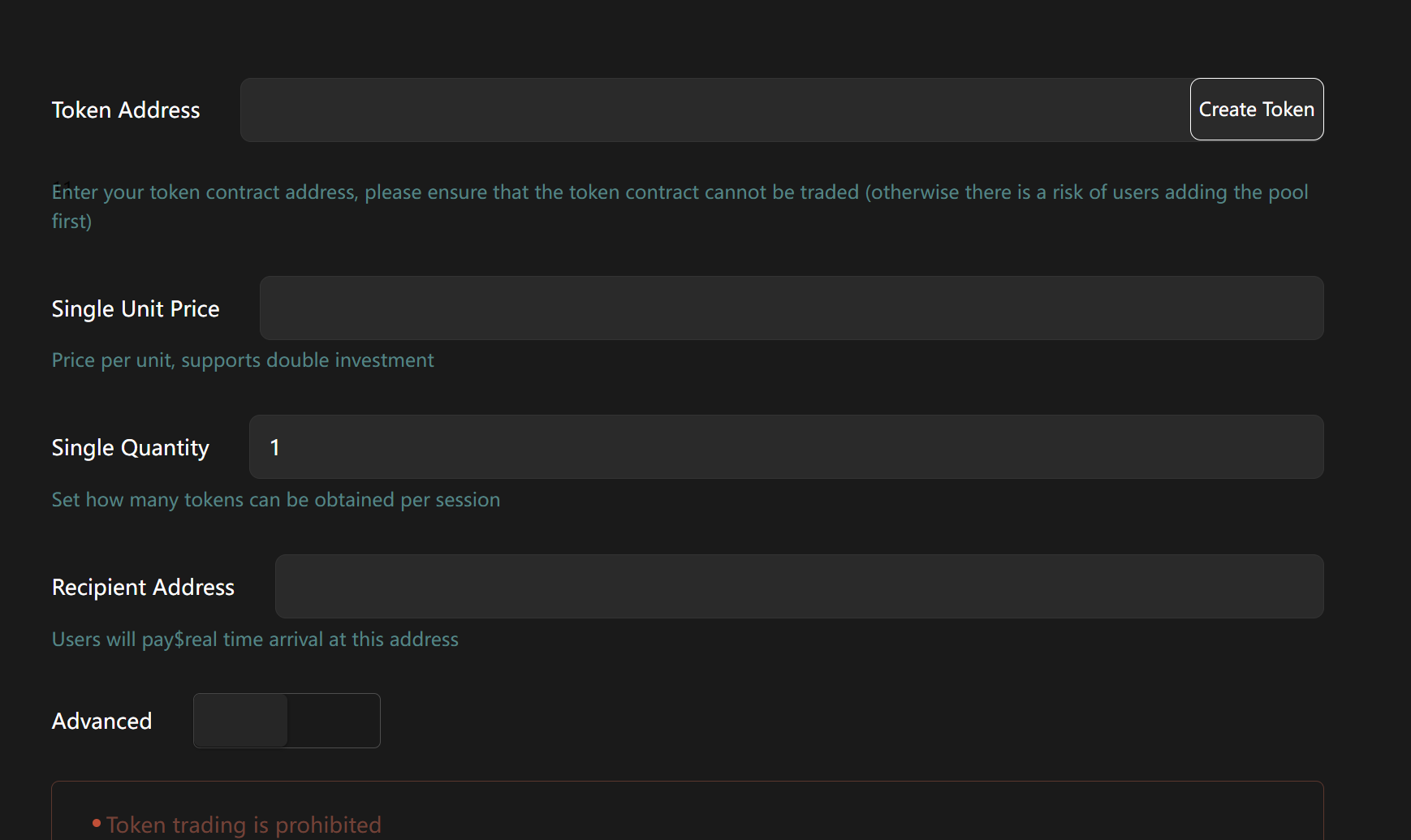
Rune Name: Enter "x402". The name should be unique and concise, avoiding conflicts with existing projects. x402 can hint at a payment protocol, attracting relevant developers.
Ticker: Enter "X402". Length should be 3-6 characters, ensuring it's not already taken (the platform will check automatically). The Ticker is the symbol displayed for the Rune on exchanges, like "BTC" for Bitcoin.
Total Supply: Set 1,000,000 (One Million).
Decimals: Default is 9, suitable for most scenarios.
Advanced Settings (Optional):
Enable/Disable Minting: Disable to prevent inflation.
Burn Mechanism: Enable partial burning (e.g., 5% transaction fee burn) to enhance the deflationary属性 of x402.
Freeze/Lock: Set a 6-month lock period to prevent early selling.
Staking Mining: Enable holding rewards to encourage users to hold x402.
NFT Dividends: Can be enabled if integrating NFTs, but can be skipped for the basic x402 Rune.
Filling Time: 2-3 minutes. The platform will provide a real-time preview of the parameters; ensure everything is correct.
Step 3: Connect Wallet and Pay Fees
Click the "Connect Wallet" button and select your wallet (e.g., Phantom).
Authorize Connection: Your wallet will pop up a confirmation window; click "Approve".
The system will display the estimated Gas fee (e.g., around 0.005 SOL on Solana).
Click "Create Rune": Confirm the transaction; your wallet will request a signature again.
Wait for Confirmation: Blockchain processing time depends on the chain – seconds on Solana, potentially minutes on ETH.
Upon success, the platform will display the Rune details, including the contract address and transaction hash. Copy this information for subsequent management.
Step 4: Manage and Distribute the Rune x402
Creation is not the end; GTokenTool provides follow-up tools:
View Information: Check supply, circulating supply, and transaction history on the dashboard.
Batch Transfer (Airdrop): Visit
https://gtokentool.com/sendertoken, input a list of recipient addresses, and airdrop x402 to community members with one click.Market Cap Management: Use
https://robotv2.gtokentool.comto monitor performance and add liquidity to DEXs like PancakeSwap.Presale/IDO: Launch a presale via
https://www.gtokentool.com/launchpad/createto attract investors.Locking and Staking: Lock tokens at
https://gtokentool.com/createlockand set up staking pools to reward holders.
Conclusion
Creating the Rune x402 through GTokenTool is a simple and efficient process, taking you from zero to entering the world of blockchain development. This tutorial covers the entire workflow from preparation to management, helping you bring x402 to life.