Video Content Introduction:
Hello, everyone!
Today, I'd like to introduce to you
how to use the GTokenTool platform
to carry out rent bulk withdrawal.
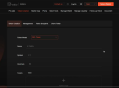
First, we enter the rent bulk withdrawal page.
Then, connect to the main network.
I will demonstrate it to you
using the test network.
Next, connect the wallet.
We choose the Phantom wallet.
After a successful connection,
you can see the wallet address.
Now, let's start the operation.
The first step is to import the wallet.
We click on "Import Wallet".
Then, there will be some safety reminders.
The private key is only used for
local calculation and signing of transactions.
However, there are still many uncertainties
in the Web3 field.
It is recommended that
you change your wallet
in a timely manner
after using functions
involving the private key.
Don't ignore safety issues
just because you find it troublesome,
so as to avoid unnecessary losses.
After reading these reminders,
we click "Confirm".
Then, we need to enter the private key of the wallet.
You can also upload a file here,
but we will enter it manually.
After entering the private key,
click "Confirm".
Now, we can see the information of the wallet,
including the wallet address,
the total number of accounts,
the number of empty accounts,
the available SOL,
and the status of the wallet.
You can also click here to delete wallet.
Next, we can select the accounts that
we want to close.
We can see the selected accounts
and the actual available SOL.
After making the selection,
fill in the recipient address.
If you don't fill it in,
the recovery will be made to
the corresponding wallet.
Here, I choose the currently connected wallet.
Then, we can click "Confirm Closure".
Wait for a while,
and there will be a prompt
indicating that the closing was successful.
That's the whole process.
You can try to operate it on your own.
If you have any questions,
you can come and ask in our community.
That's all for this video.
Bye-Bye!