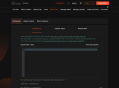
Video Content Introduction:
Hello, everyone!
Today, I'm going to introduce to you
how to use the GTokenTool platform
for batch collection.
First, we enter the batch collection page.
Connect to the main network first.
I'll demonstrate it to you
using the test network.
Then connect the wallet.
We choose the Phantom wallet.
Once the connection is successful,
you can see the wallet address.
Now let's start the operation.
The first step is
to fill in the recipient address.
Then fill in the tokens to be gathered.
After filling them in,
import the wallets.
We'll import two wallets.
These two wallets should contain the tokens
that need to be gathered.
Click "Confirm".
Then we can see the balance of the wallets
and the balance of the target tokens.
Each wallet can be operated independently,
either executed or deleted.
Next is to select collection method.
You can choose to send all,
collect a fixed amount,
or reserve a fixed amount.
Here I choose to reserve a fixed amount.
After filling it out,
click "Gather".
There will be a pop-up window.
Let's check the collected information.
Then click "Confirm".
Wait for a while.
There will be a prompt if it succeeds.
We can also refresh the wallet.
You can see that
there is only one target token left
in the wallet.
That's the whole process.
You can try it out on your own.
If you have any questions,
feel free to ask in our community.
That's all for this video.
Goodbye!