Creating a cryptocurrency (token) on Solana is a very popular and surprisingly straightforward process thanks to its low transaction fees and powerful tools.
Here is a comprehensive guide, from the absolute basics to the steps for deployment, covering both the technical and strategic aspects.
Understanding the Key Concepts First
Token vs. Coin: You are creating a token. Solana (SOL) is the native coin that powers the blockchain. Your token will exist on and be secured by the Solana blockchain.
SPL Tokens: Solana's token standard is called SPL (Similar to ERC-20 on Ethereum). It defines a set of rules that all tokens must follow to be compatible with Solana wallets and applications.
Mint Authority: The address that has the power to create new tokens. For a fixed supply token, you will "revoke" this authority after creation to make it immutable.
Metadata: This is crucial. It's the information that defines your token's identity: its name, symbol, logo, description, and links. This is stored on-chain using the Metaplex Token Standard, which is the expected norm.
Prerequisites
Before you start, you will need:
A Solana Wallet: This will hold your token, pay for transaction fees, and hold the "Mint Authority."
Recommended: Phantom (Browser extension & mobile app) or Solflare.
Important: Fund this wallet with a small amount of SOL (0.5-1 SOL is more than enough for creation and multiple tests) from an exchange like Coinbase or Binance.
A Development Environment (For the CLI Method):
You'll need to install the Solana Command Line Tools and Node.js.
Method 1: The Easiest Way - Using a Web-Based Tool (Solana Token Creator)
This is the best method for 99% of users who want to create a standard token quickly without coding.
Recommended Tool: Solana Liquid Staking Token Creator by Metaplex (This is the official, trusted standard).
Steps:
Go to the Website: Visit https://www.spl-token.com/
Connect Your Wallet: Click "Connect Wallet" and choose Phantom/Solflare. Ensure you are on the Mainnet-Beta if you want a real token, or Devnet for testing.
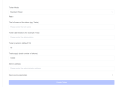
Enter Token Details:
Example JSON file content:
json{ "name": "My Awesome Token", "symbol": "AWSM", "description": "This is an amazing token created for educational purposes.", "image": "https://gateway.pinata.cloud/ipfs/YourImageHashHere.png", "website": "https://myawesometoken.com"}Token Name: The full name of your token (e.g., "My Awesome Token").
Token Symbol: The ticker (e.g., "AWSM").
Token URI: This is the most important part. This is a link to a JSON file that contains your token's metadata (logo, description, etc.). You need to upload this file to a permanent, decentralized storage like Arweave or IPFS. Services like NFT.Storage or Pinata can help you do this for free.
Decimals: Typically
9(this is the standard on Solana). It defines how divisible your token is.9decimals means you can have up to 0.000000001 of a token.Initial Supply: The number of tokens to create initially.
Token Type:
Choose "Fixed Supply" if you want a capped supply with no possibility of creating more tokens later. This is what most people want for a cryptocurrency.
Choose "Variable Supply" if you want the ability to mint more tokens in the future.
Create Token: Review all details carefully. Once you confirm the transaction and pay the small SOL fee (usually less than 0.1 SOL), your token will be created!
Revoke Mint Authority (CRITICAL FOR FIXED SUPPLY): If you chose "Fixed Supply," the tool should guide you to revoke the mint authority immediately. This permanently prevents anyone (including you) from ever creating more tokens. If you don't do this, your token will not be considered legitimate.
Congratulations! Your token now exists on the Solana blockchain. You can view it in your wallet by adding its token address (Mint ID). You can share this Mint ID with others so they can add it to their wallets.
Method 2: The Developer Way - Using Solana CLI and Spl-Token CLI
This method gives you more control and is better for automation or integration into scripts.
Install the Tools:
bash# Install Solana CLIsh -c "$(curl -sSfL https://release.solana.com/v1.17.9/install)"# Install spl-token CLIcargo install spl-token-cli
Set Configuration to Devnet (Always test first!):
bashsolana config set --url devnet
Airdrop Devnet SOL:
bashsolana airdrop 2
Create the Token (Mint Account):
bashspl-token create-token
This command will output the Token Mint Address. Save this carefully!
Create an Associated Token Account (to hold the new token):
bashspl-token create-account <TOKEN_MINT_ADDRESS>
Mint Initial Supply:
bashspl-token mint <TOKEN_MINT_ADDRESS> 1000000
This mints 1,000,000 tokens to your wallet.
Revoke Mint Authority (To make supply fixed):
bashspl-token authorize <TOKEN_MINT_ADDRESS> mint --disable
Set Up Metadata (Using Metaplex):
This requires a more complex process using themetaplex-tokenCLI or writing a script in TypeScript using the Metaplex JS SDK. This is beyond the scope of a simple CLI guide but is essential for your token to have a name and logo.
What to Do After Creating Your Token
Creating the token is just step one. To give it value and purpose, you need to build around it.
Create a Website: Even a simple landing page explaining the token's purpose is crucial.
Build a Community: Create a Twitter account, Telegram group, and Discord server.
Create Liquidity Pools: For people to trade your token, you need to provide liquidity on Decentralized Exchanges (DEXs) like Raydium or Orca. This involves pairing your token with SOL or USDC and depositing them into a liquidity pool. This requires capital and carries the risk of impermanent loss.
Get Listed on Trackers: Get your token listed on market cap tracking websites like CoinGecko and CoinMarketCap (they have specific requirements you must meet).
Smart Contracts (Advanced): Develop utility for your token, like staking rewards, access to a game, or governance voting using Solana programs (smart contracts).
⚠️ Important Warnings & Best Practices
SECURITY: Never share your wallet's seed phrase/private key. Anyone who asks for it is scamming you.
TEST ON DEVNET: Always test the entire process on
devnet(a test network with fake SOL) before using real SOL onmainnet-beta.REVOKE MINT AUTHORITY: If you promise a fixed supply, you must revoke the mint authority. Failure to do so is a major red flag for investors.
SCAMS: Be wary of websites that are not the official Metaplex or Solana tools. Double-check URLs.
LEGAL COMPLIANCE: Understand the legal implications of creating and distributing a cryptocurrency in your jurisdiction. It may be considered a security.
By following this guide, you can safely and correctly create your own SPL token on the Solana network.