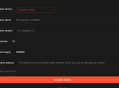
The Simple, Safe Method: "Add Token" in Phantom
This is the standard and safest way to add a legitimate token that you know exists but isn't visible.
-

Open your Phantom Wallet extension or mobile app.
-
On the main screen, scroll down to the bottom of your list of assets.
-
You will see a button that says "Add / Hide Tokens". Click it.
-
On mobile, this might be a "+" icon or similar.
-
A new menu will appear. Click the "Add Token" tab at the top.
-
You now have two ways to find your token:
-
Search: Type the token's name (e.g., "BONK") or its mint address into the search bar. Using the mint address is the most accurate and secure method.
-
Browse Popular Tokens: Phantom often lists popular new tokens in this menu that you can simply toggle on.
-
Once you find the token, click the "+" (plus) icon next to it.
-
The token will now appear in your main asset list.
The Advanced Method: Using the Mint Address
If the token doesn't appear in the search (which happens with very new or obscure tokens), you must use its mint address. This is the unique identifier of the token on the Solana blockchain.
-
Find the official mint address of the token. THIS IS THE MOST CRITICAL SECURITY STEP.
-
Get it from the project's official website, official Discord, or verified Twitter account. Never copy an address sent to you randomly via DM.
-
You can also find it on explorers like Solscan.io or SolanaFM. If someone sent you the token, you can click on the transaction notification in Phantom, then click on the token itself to see its mint address.
-
Go to Add / Hide Tokens > Add Token in your Phantom wallet.
-
Paste the full mint address into the search bar.
-
If it's a valid token, its information will appear. Click the "+" icon to add it.
⚠️ CRITICAL SECURITY WARNING: Beware of "Fake" Tokens ⚠️
The Solana network, while powerful, is also a target for scammers. The most common scam involves "airdropping" fake tokens into your wallet.
-
How it works: A scammer sends a worthless token to your address. This token will have a name and logo impersonating a real, valuable project (e.g., "SOLANA", "Fake Saber", "Fake Phantom Token").
-
The Trap: If you go to a website to "swap" this fake token, the website will be malicious. It will ask you to approve a transaction that gives the scammer full access to drain ALL the assets from your wallet.
How to Stay Safe:
-
Never interact with unsolicited tokens. If you didn't expect it and it looks too good to be true, it's a scam.
-
Always find the mint address yourself. Never click on a link provided in a transaction note or a DM to "add" the token.
-
You can hide suspicious tokens. Go to "Add / Hide Tokens", select the "Hide Tokens" tab, and hide any asset you don't recognize or trust. Hiding a token does not remove it from your wallet, but it removes it from your view and keeps your list clean.
-
You cannot "remove" or "send back" a scam token. Interacting with it in any way (even trying to send it away) is dangerous. The best practice is to simply hide it and ignore it.
Summary: The Safe Process
-
Get the mint address from an official source (project website, Solscan).
-
In Phantom, go to Settings (gear icon) > Add / Hide Tokens > Add Token.
-
Paste the mint address and add the token.
-
For any unknown tokens that appear magically, hide them and do not interact.
By following these steps, you can safely manage and view all your legitimate tokens in your Phantom wallet.