As an experienced blockchain user, I understand how intimidating batch transfers can be for newcomers. This tutorial will walk you through the process of using USDT batch transfer tools for airdrops in the simplest way possible.
I. Preparation
Wallet Setup:
Ensure you have a USDT-compatible wallet (Recommended: MetaMask, Trust Wallet, or TokenPocket)
Your wallet should contain sufficient USDT balance plus ETH/TRX for gas fees (depending on whether you're using ERC20 or TRC20 USDT)
Tool Selection:
Recommended tool: GTokenTool
II. Using Disperse.app for Batch Transfers (ERC20 USDT)
Access the Website:
Open your browser and go to https://gtokentool.com/sendertoken
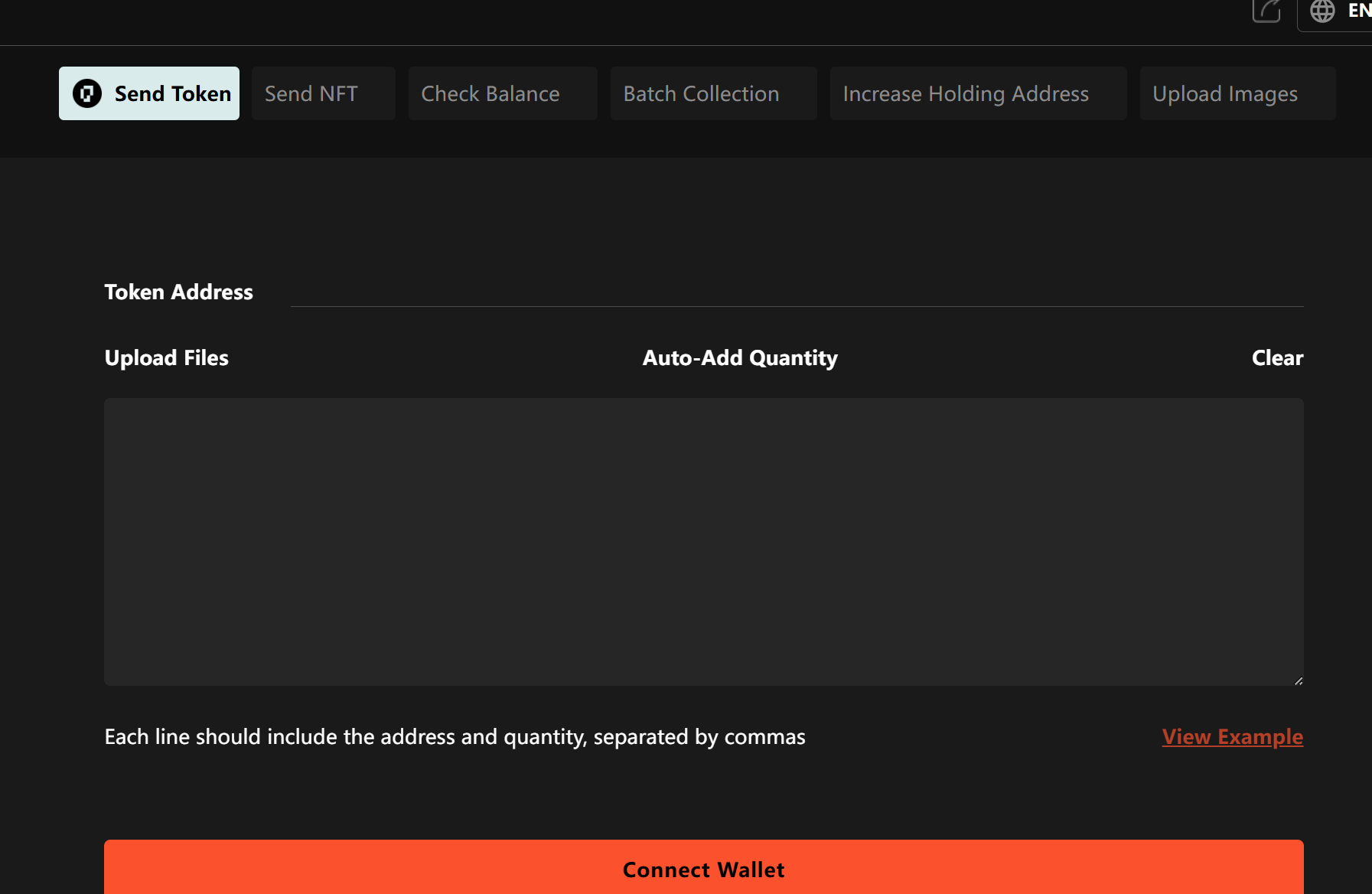
1.Connect Your Wallet:
Click "Connect Wallet" in the top-right corner
Select your wallet type (e.g., MetaMask) and authorize the connection
2.Connect Your Wallet:
Click "Connect Wallet" in the top-right corner
Select your wallet type (e.g., MetaMask) and authorize the connection
3.Select Token:
Enter USDT contract address in "Token Contract Address" field:
0xdAC17F958D2ee523a2206206994597C13D831ec7(Mainnet ERC20 USDT)The system will automatically recognize it as USDT
4.Prepare Transfer List:
Format:
address,amount(one per line)
Example:
0x123...abc,100
0x456...def,50
0x789...ghi,200
Note: Amounts don't need decimals (USDT typically uses 6 decimal places)
5.Paste Addresses and Amounts:
Paste your prepared list into the text box
Or upload a CSV/TXT file (ensure correct formatting)
6.Confirm and Send:
Verify total amount and gas fees
Click "Send Transaction"
Confirm the transaction in your wallet
III. Important Notes
Gas Fee Estimation:
Batch transfer gas fee = base fee + (per-transfer cost × quantity)
Recommended to operate during off-peak hours (UTC 2-6AM)
Security Reminders:
Only use reputable tools
Never enter your private key on any website
Always do a small test transaction first
Common Issues:
Transaction failed? Check if gas fee was sufficient
Insufficient balance? Remember to reserve ETH/TRX for gas
Partial delivery? Might be out of gas - try increasing gas limit