With the rapid development of blockchain technology, Solana has emerged as a leader in the public chain space due to its high performance, low cost, and high scalability. Within the Solana ecosystem, managing token accounts is a critical task for project teams and developers, particularly the account freezing feature, which effectively controls token circulation and enhances security. This article provides a detailed guide on how to use the GTokenTool to automate the freezing of Solana token accounts. It covers an introduction to the tool, step-by-step instructions, important considerations, and real-world use cases, aiming to help developers, project teams, and users efficiently and securely freeze accounts.
1. Introduction to GTokenTool
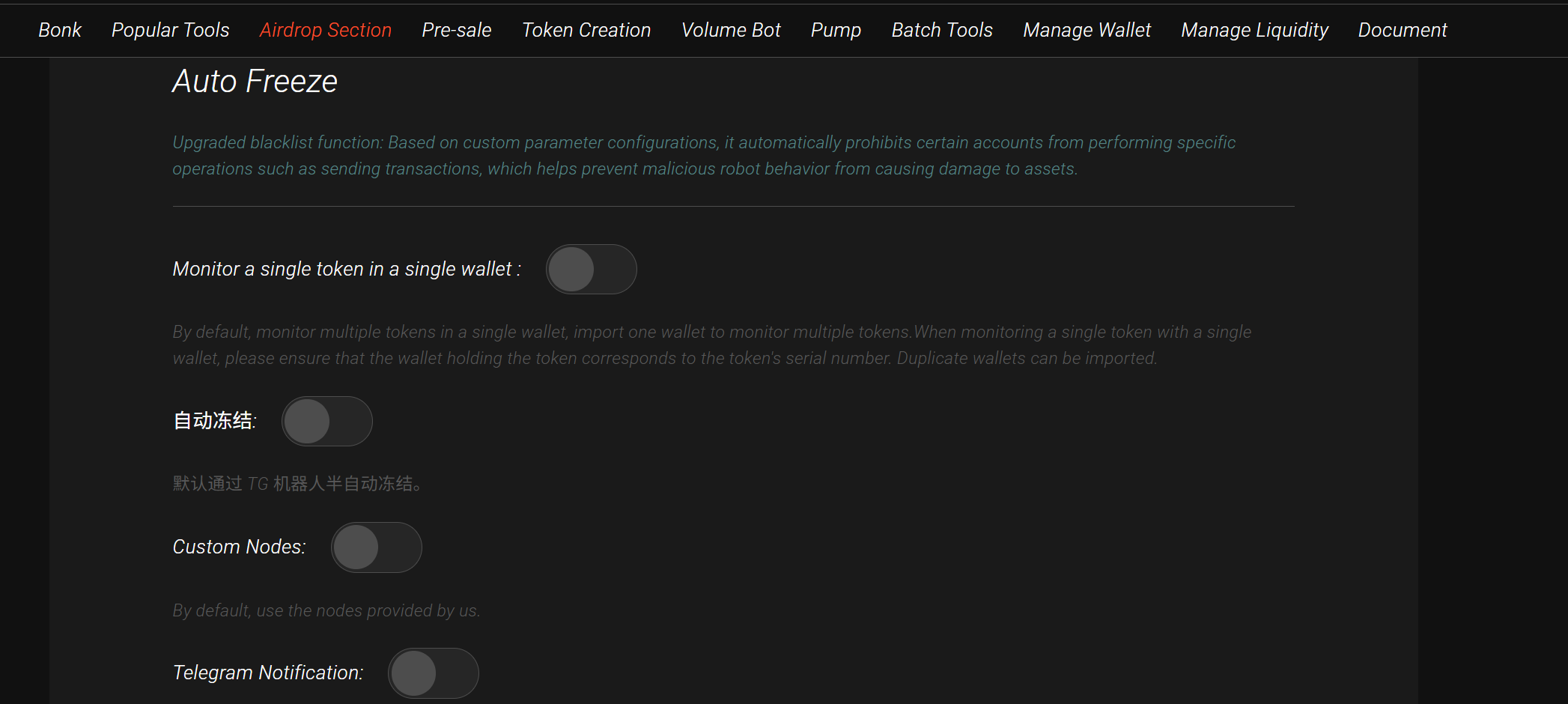
GTokenTool is a token management platform focused on the Solana blockchain, offering a one-stop solution for token issuance, airdrops, account freezing, burning, and more. Its "AutoFreeze" feature allows users to quickly freeze specific Solana token accounts, restricting token transfers to ensure project security and compliance. The tool features a user-friendly interface, supports batch processing, and is ideal for large-scale token account management.
Key Features:
Efficient Batch Operations: Freeze multiple accounts simultaneously, reducing manual effort.
User-Friendly: Intuitive web interface requiring minimal programming knowledge.
Security: Transparent and tamper-proof process via native Solana blockchain interactions.
Multi-Language Support: Available in Chinese, English, and other languages.
Use Cases:
Project teams restricting token transfers to prevent malicious activities.
Temporary account locking to comply with regulatory requirements after token issuance.
Simulating frozen accounts in test environments to validate smart contract logic.
2. Background and Significance of Freezing Solana Accounts
On the Solana blockchain, a token account stores a user’s SPL (Solana Program Library) tokens. Freezing an account involves setting permissions to restrict token transfers, burns, or other actions, allowing only authorized accounts (e.g., the token issuer) to manage it. This mechanism is crucial in scenarios such as:
Preventing unauthorized token transfers.
Meeting regulatory compliance in certain jurisdictions.
Stabilizing token prices by restricting early sales during token distribution.
Testing permission management logic in development environments.
GTokenTool’s AutoFreeze feature interacts with the Solana blockchain to invoke the SPL token program’s freeze instruction, providing an efficient solution for users.
3. Preparations for Using GTokenTool AutoFreeze
Before using the AutoFreeze feature, complete the following preparations:
Create a Solana Wallet:
Use a Solana-supported wallet (e.g., Phantom, Solflare) to generate a wallet address.
Ensure the wallet holds sufficient SOL for transaction fees.
Back up the private key or seed phrase to avoid asset loss.
Token Issuance and Permissions:
Ensure SPL tokens have been issued via GTokenTool.
Confirm the wallet address has freeze authority. Only accounts with this permission can freeze tokens.
Network Environment:
GTokenTool supports Solana Mainnet, Testnet, and Devnet. Choose the appropriate network.
For testing, use Devnet and obtain test SOL from Solana’s official faucet .
Access GTokenTool Platform:
Open the browser and visit https://sol.gtokentool.com/airdropSection/AutoFreeze.
Ensure a stable internet connection to avoid interruptions.
4. Step-by-Step Guide to Using GTokenTool AutoFreeze
Follow these steps to freeze Solana token accounts:
1. Log in to GTokenTool Platform
Visit the official website and connect your Solana wallet (e.g., Phantom).
Authorize GTokenTool to interact with your wallet.
Confirm the network (Mainnet/Testnet/Devnet) matches your target environment.
2. Enter Token Information
Input the token mint address (the unique identifier of your SPL token).
Verify the token address and ensure your wallet has freeze authority.
3. Provide Target Account List
Prepare a list of target account addresses in one of the following formats:
Manual input: Enter each public key individually.
File upload: Upload a CSV or TXT file with one Solana account address per line.
Example CSV format:
textAddress 3x4m...k9zL 7y5n...p8mQ
The tool will automatically validate the addresses.
4. Configure Freeze Parameters
Confirm the freeze authority account (usually your wallet address).
Optional: Set additional conditions, such as:
Freeze duration: Permanent or temporary (requires custom program support).
Batch operation limits: Set the maximum number of accounts per transaction (recommended 10–50 to optimize gas fees).
5. Submit Transaction
Click the "Freeze Accounts" button. GTokenTool will generate freeze instructions and send them to the Solana blockchain.
Your wallet will prompt you to confirm the transaction. Review details (e.g., gas fees, number of accounts) and sign.
Wait for confirmation (usually within seconds due to Solana’s high TPS).
6. Verify Freeze Results
After completion, GTokenTool will display the list of successfully frozen accounts.
Verify the status of target accounts as "Frozen" on a Solana blockchain explorer (e.g., explorer.solana.com).
Frozen accounts cannot transfer tokens unless unfrozen by the freeze authority.
5. Important Considerations
Permission Management:
Ensure your wallet has freeze authority for the token. Otherwise, freezing will fail.
Use GTokenTool’s "Revoke Freeze Authority" feature to irreversibly remove freeze permissions if needed.
Transaction Fees:
Each freeze operation requires a small SOL fee. Batch freezing reduces costs, but operate in batches to avoid network congestion.
Ensure sufficient SOL balance for Mainnet operations.
Security:
Beware of phishing sites. Only access the official GTokenTool website.
Never share your private key or seed phrase. GTokenTool will never ask for this information.
Test Environment:
Test the freezing process on Devnet or Testnet before executing on Mainnet.
Obtain test SOL from faucets for testing.
Troubleshooting:
If transactions fail, check network connectivity, wallet balance, or account validity.
Refer to Solana community forums (e.g., Stack Overflow) or contact GTokenTool support for assistance.
6. Real-World Use Cases
Token Distribution Control:
Project teams can freeze tokens in certain accounts after airdrops or private sales to prevent early investors from selling immediately. For example, a DeFi project may use AutoFreeze to lock 50% of distributed tokens until the vesting period ends.
Fraud Prevention:
Freeze accounts involved in malicious activities (e.g., money laundering or hacking) to protect the community.
Compliance Requirements:
Restrict token transfers for unverified users to comply with KYC/AML policies.
7. Frequently Asked Questions
Q1: How to unfreeze an account?
A: Use GTokenTool’s "Unfreeze Accounts" feature, enter the token address and target accounts, and sign the transaction with the freeze authority.
Q2: How much do batch freezing operations cost?
A: Fees depend on the number of accounts and network conditions. Solana fees are minimal, typically around 0.000005 SOL per freeze operation.
Q3: Does freezing affect other operations?
A: Freezing only restricts token transfers; other operations (e.g., checking balances) remain unaffected.
8. Conclusion
GTokenTool’s AutoFreeze feature provides an efficient and secure solution for managing token accounts on Solana. Its user-friendly web interface enables rapid batch account freezing, meeting project security, compliance, and testing needs. This guide detailed the steps, considerations, and applications to help users maximize GTokenTool’s capabilities.
Whether you are a project team, developer, or user, mastering the AutoFreeze feature enhances operational flexibility and security on Solana. Beginners should practice on Devnet before executing Mainnet operations. As the Solana ecosystem evolves, GTokenTool may introduce more advanced features, making it a tool worth watching.