Feature Overview
Target Buy (also called Directed Buy or Buy to Designated Address) is a practical tool on the GTokenTool platform. It is mainly used to precisely deliver tokens to specified wallet addresses through a "buy" method instead of direct transfers.Core Advantages (Why not just do a direct transfer?)
Significantly reduces the risk of being flagged as "bubble chart", "direct transfer label", "associated addresses", etc. by on-chain analytics
Behavior appears closer to real user purchases → much stronger stealth
Suitable for market making, initial distribution, controlling addresses, avoiding certain monitoring strategies, etc.
Helps optimize on-chain profile and gives more room for future operations
Typical Use Cases
Project teams want to distribute tokens to KOLs, early supporters, or marketing wallets without it obviously showing as "team direct transfer"
When controlling multiple addresses, you want some wallets to appear to have "naturally bought in"
Avoiding direct-transfer alerts from certain aggregators/monitoring tools
Pre-Operation Preparation
A computer or phone (computer recommended for clearer interface)
Phantom / Solflare or other Solana wallet (Phantom recommended)
Sufficient base token (usually SOL) in the payment wallet (all fees are paid from this wallet)
The token contract address (CA) you want to buy
A prepared list of target receiving addresses (one address per line)
Strong recommendation:
Use a dedicated operation wallet. Do not use your main wallet or major holding wallet directly.Step-by-Step Operation Guide
Enter the Target Buy Page
Open in browser:
https://sol.gtokentool.com/airdropSection/buyToDesignatedAddress
(Or from GTokenTool Solana homepage → Airdrop Section → Target Buy)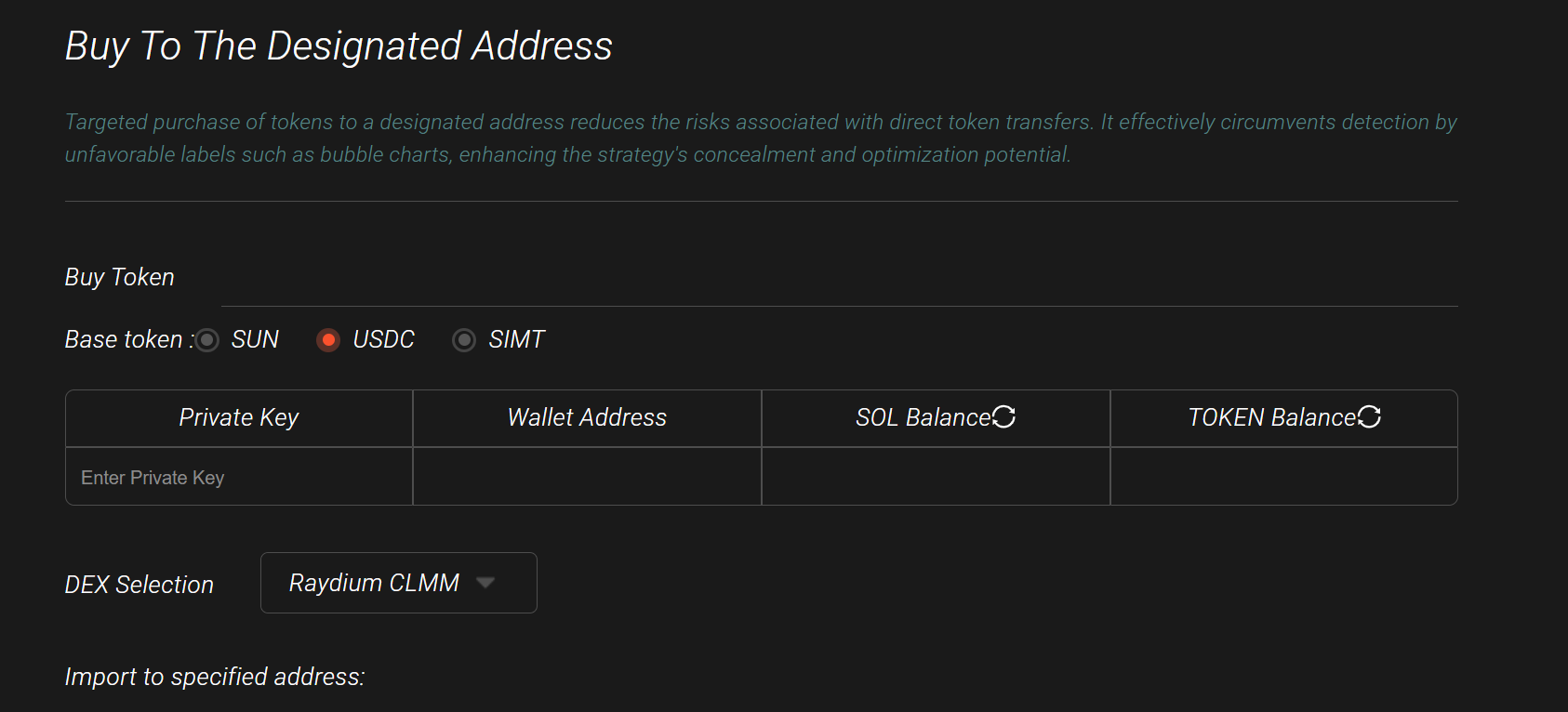
Connect Wallet & Confirm Network
Click "Connect Wallet" in the top right corner
Select Phantom / Solflare etc.
Make sure the network is switched to Mainnet
Input the Token Contract Address
Paste the CA into the "Token to Buy" input box
→ After correct input, the table below will automatically show the token symbolSelect DEX and Base Token
DEX: Usually choose Raydium or Jupiter (select based on where the main liquidity pool is)
Base token: In most cases choose SOL
Important: Choosing the wrong one will cause transactions to fail!Import Payment Wallet Private Key
Wallet address
Current SOL balance
Token balance (usually 0)
Paste the private key of the payment wallet into the "Import Private Key" area (pay attention to security!)
After successful import, it will display:
You can click the refresh icon in the table at any time to update the latest balance
All fees and buy amounts are deducted from this walletImport Target Receiving Addresses
In the "Designated Addresses" area, paste one wallet address per line
Supports bulk import (you can copy multiple lines directly from Excel)
Set Buy Amount
Two modes available — choose one:Mode Description Best For Fixed Amount Each address buys the same SOL amount Uniform distribution, consistent control Random Amount Set min ~ max SOL range, system randomizes Looks more like real users, better dispersion Recommendation: Don't set amounts too large. Single transactions of 0.05–1 SOL look more natural.
Click "Start" to Execute
The system will initiate buy transactions one by one for each address
Real-time transaction logs will appear below
After each successful transaction, you can copy the transaction hash (Signature) and check details on Solscan / Solana Explorer
Important Notes & Common Issues
Must ensure the payment wallet has enough SOL (buy amount + fees + priority fees)
Wrong DEX or base token → 99% of the time it will fail
Private key is signed locally only — the platform does not store it (still use small-amount dedicated wallets)
If logs show failure, copy the hash and check the exact error on a block explorer (common reasons: insufficient balance, excessive slippage, low pool liquidity)
Do not confuse target addresses with the payment address
For large batches, it is recommended to execute in smaller groups to avoid network congestion issues
After completing the steps above, you can safely and stealthily distribute tokens to designated addresses through the appearance of "market buys".