Preparation (Must Read)
Before you start, make sure you have the following ready:
-
A computer or smartphone (computer is recommended for better stability)
-
A BSC wallet (MetaMask is highly recommended)
-
If you haven't installed it yet, check the official guide: MetaMask Wallet Installation Tutorial
-
The contract address of the token you want to sell
-
The private key of the wallet holding the tokens (handle with care!)
-
Enough BNB in your wallet to cover gas fees and service fees
PancakeSwap V2 One-Click Sell Step-by-Step Guide
Step 1: Go to the Tool and Connect Your Wallet
-
Open your browser and visit the GTokenTool one-click sell page:https://www.gtokentool.com/FourSell
-
Click the “Connect Wallet” button in the top right corner.
-
Select MetaMask and switch your network to BNB Smart Chain Mainnet (BSC Mainnet).
-
Once connected, the page will display the chain name and your wallet address.
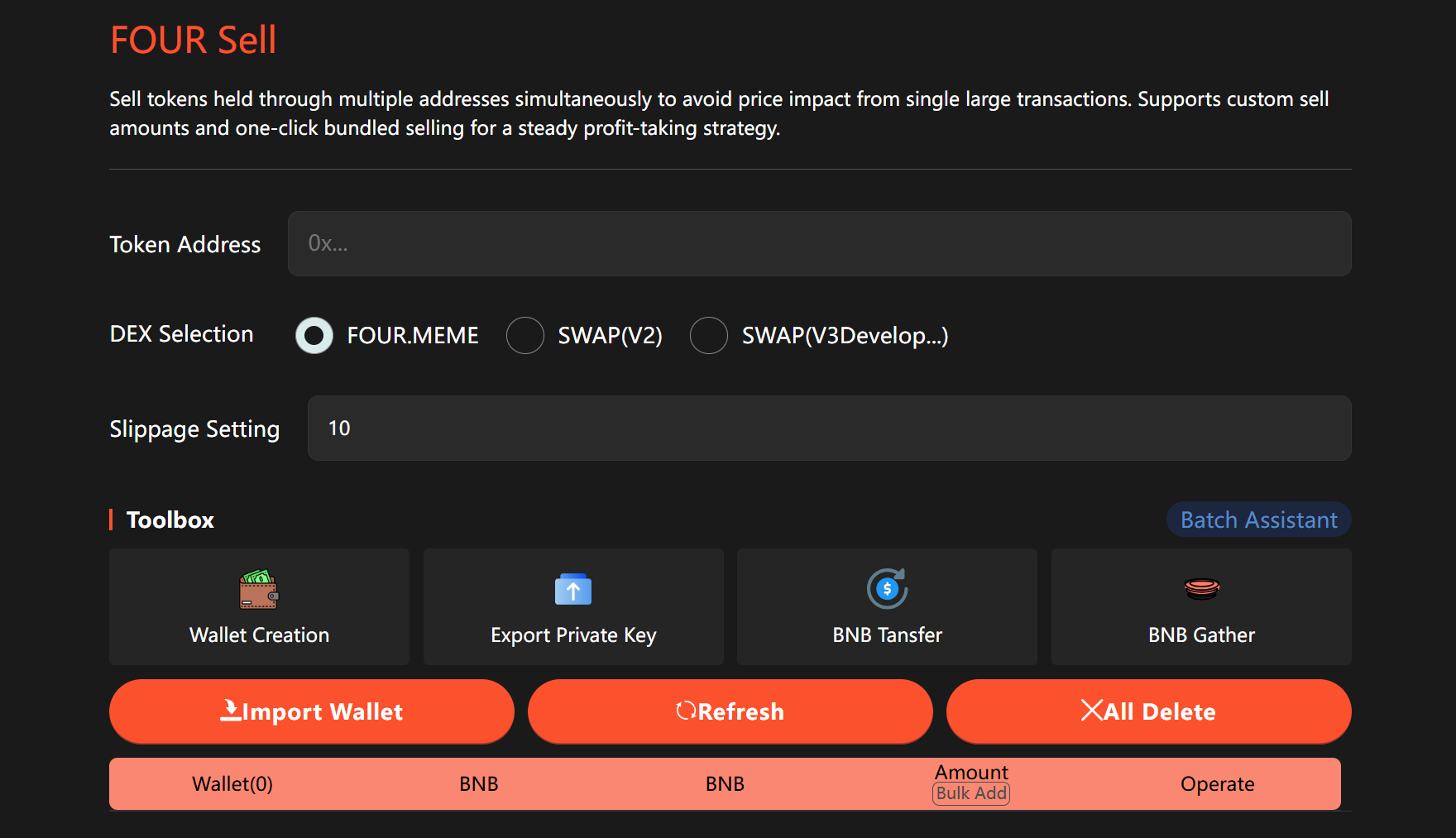
Step 2: Enter the Token Address and Select DEX
-
Paste the token contract address you want to sell.
-
Make sure to select the correct DEX (PancakeSwap V2). Choosing the wrong one may cause the transaction to fail.
Step 3: Select the Pair Token (Liquidity Pool Token)
-
The tool will show common pair token options.
-
If your token uses a different pair, manually enter the pair token address.
Step 4: Set Slippage Tolerance
-
Adjust the slippage percentage based on market conditions and token liquidity. Set it reasonably to avoid failed transactions due to high slippage.
Step 5: Import Wallet Private Key
-
In the import wallet section, enter the private key of the wallet holding the tokens.
-
After importing, click the “Refresh” button immediately to load the latest wallet balance and token balance.
-
All fees are deducted from the first imported wallet.
-
Tiered pricing:
-
Under 10 addresses: 0.008 BNB per address
-
10+ wallets: as low as 0.005 BNB per address
Step 6: Set Sell Amount
-
You can manually enter the sell amount for each wallet.
-
Or use the batch add feature to import multiple addresses and amounts at once.
Step 7: Confirm and Execute the Sell
-
Double-check all information, then click the “Confirm” button.
-
Once successful, a success message will pop up.
-
Click “Refresh” anytime to check the latest token balances in your wallet.
Common Issues & Important Notes
-
Transaction Failed: Check that you selected the correct DEX, pair token, and set a reasonable slippage.
-
Fee Payment: Only the first imported wallet pays the service fee + gas fees.
-
Security: The private key is used only for this session. It's recommended to remove it or switch to a new wallet immediately after use.
-
Batch Selling: Supports multiple wallets at once, greatly improving efficiency.
Need Help?
If you run into any issues or have questions, feel free to join the official GTokenTool Telegram group:https://t.me/GToken_EN
That's it — one-click selling made simple!
Using GTokenTool's PancakeSwap V2 one-click sell feature saves you time and hassle with transparent fees. It's one of the best options for batch token selling on BSC right now.