Here is a detailed step-by-step tutorial for adding liquidity and executing a bundled token purchase on Binance Smart Chain (BSC) via the GTokenTool platform:
Prerequisites
Install MetaMask Wallet: Ensure the MetaMask extension is installed and configured for the BSC network (Mainnet or Testnet).
Prepare sufficient amounts of the token and BNB/USDT for adding liquidity and purchasing.
Have a main wallet address (with private key) and multiple secondary addresses ready (supports up to 46 addresses; contact GTokenTool for customization if more are needed).
Step-by-Step Guide
1. Access GTokenTool Platform
Open the link: https://www.gtokentool.com/createLiquidityAndBuy
Click the "Connect Wallet" button in the top-right corner and link your MetaMask wallet.
Switch to BSC Mainnet (or Testnet, as needed).
Once connected, the page will display the "Network Name" and your "Wallet Address".
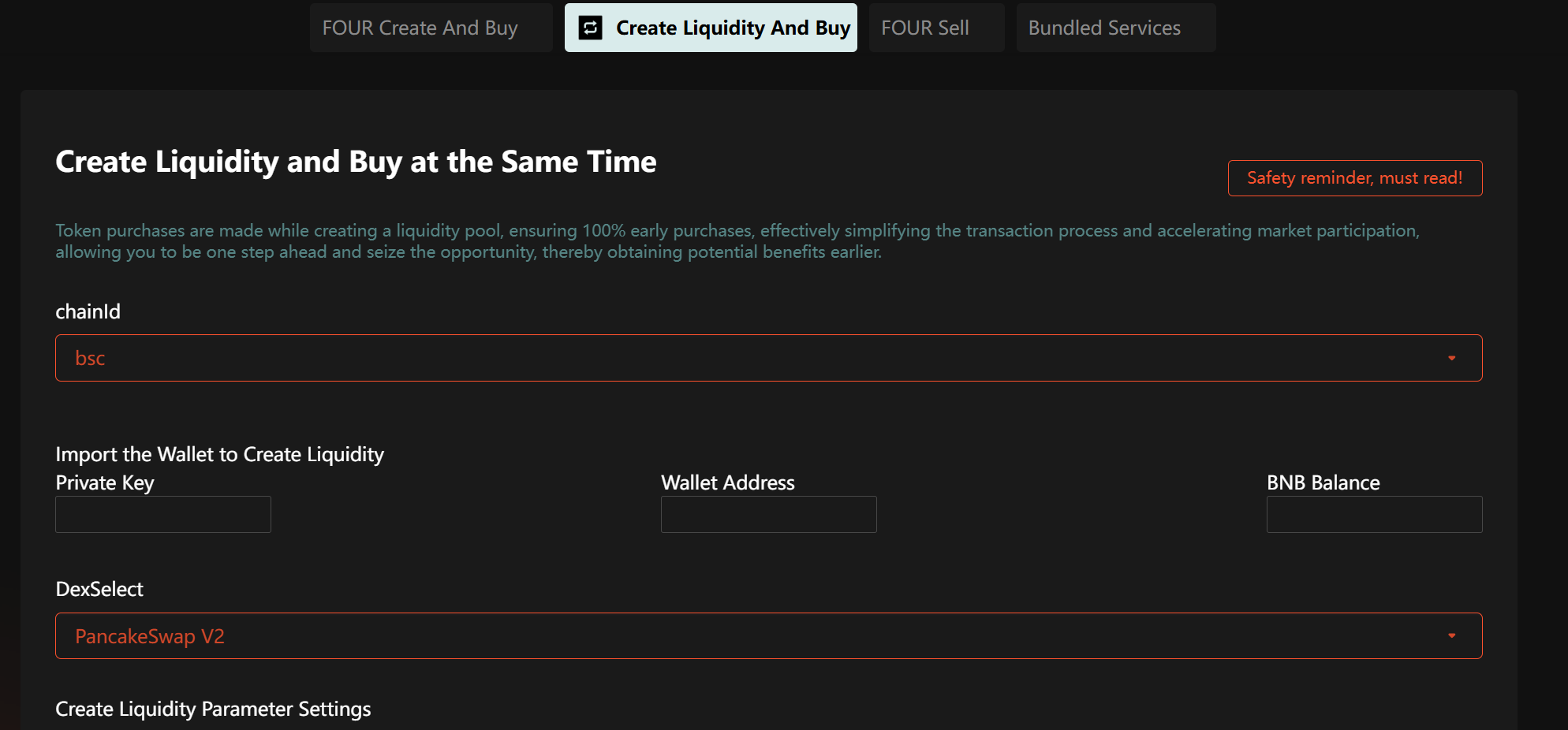
2. Add Liquidity & Execute Bundled Buy
Enter Required Information:
Token Contract Address: Input the contract address of the token you intend to add liquidity for and purchase.
Liquidity Provider Wallet: Import the private key of your main wallet to add liquidity.
Trading Pair: Select either Token/BNB or Token/USDT as the liquidity pair.
Liquidity Amount: Set the amount of tokens to be added based on your market strategy.
Number of Bundled Addresses: Choose how many secondary addresses will participate in the purchase (max 46).
Purchase Amount per Address: Define the token purchase amount for each secondary address.
Execute Liquidity Addition & Bundled Buy:
Verify all details, then click "Create" or "Confirm".
Approve the Gas fee in MetaMask to complete liquidity provisioning.
The bundled buy feature will automatically execute purchases via secondary addresses at launch, preventing front-running by bots.
Important Notes
If the transaction fails, try the following:
Change the RPC node.
Adjust the block processing engine.
Increase Gas fees (recommended minimum: 0.01 BNB).
Retry during low network congestion periods.
Network Risks: Due to BSC’s complexity (nodes, block processing), bundled buys may occasionally fail. If unsuccessful, no fees will be incurred.
Secondary Address Strategy: Using multiple addresses helps distribute market activity and token ownership more effectively.
Support: Join the GTokenTool Telegram group (https://t.me/GToken_EN) for assistance.
Additional Tips
Security: Always safeguard your private keys and wallet access.
Liquidity Pools: After adding liquidity, the token will be tradable on PancakeSwap and other DEXs.
Custom Needs: For more addresses or advanced features, contact GTokenTool via Telegram for customization.
Let me know if you'd like any refinements!