The minimum SOL amount needed to add liquidity on Raydium depends on several factors:
1. Raydium’s Default Minimum Requirements
- As a Solana-based DEX, Raydium generally does not enforce a strict minimum SOL limit, but you must ensure:
- Enough SOL for transaction fees (~0.00001 – 0.0001 SOL per transaction).
- Sufficient initial deposit for liquidity pool creation (typically at least 0.1 SOL worth of tokens, depending on the trading pair).
2. Minimum Liquidity Requirements per Trading Pair
- For new token pairs, Raydium may require:
- Minimum deposits on both sides (e.g., at least 1 SOL worth of tokens + the paired token).
- For major pairs (e.g., SOL-USDC), smaller amounts (e.g., 0.01 SOL equivalent) may be accepted.
3. Wallet & Network Fees
- You should reserve 0.02 – 0.05 SOL for gas fees to complete the liquidity provision process.
Recommended Minimum Amount
- Safe estimate: At least 0.1 SOL (for liquidity + fees).
- Small test transaction: You can try with 0.05 SOL equivalent, but it may fail due to slippage or insufficient liquidity.
Important Notes
- Raydium’s interface will show an estimated liquidity share—if the amount is too low, you may see an“Insufficient Liquidity” error.
- For newly created pools, a higher initial deposit (e.g., 1+ SOL) may be required.
Before proceeding, check the "Liquidity" section on Raydium—the platform will automatically validate whether your deposit meets the minimum requirements.
Solana Create Liquidity (Add Pool) Tutorial
Solana is a high-performance blockchain platform designed to solve the scalability and transaction speed issues encountered in blockchain applications. Solana was created by Anatoly Yakovenko in 2017 and launched on the mainnet in 2020. Solana uses a unique technical architecture designed to provide higher throughput and lower transaction costs than Ethereum. Solana aims to become a blockchain platform suitable for large-scale applications, especially in the field of decentralized finance (DeFi) and Web3.
Solana Liquidity Pool Creation Process
1. Connect your wallet
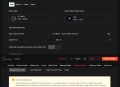
Enter the GTokenTool Create Liquidity Pool page and connect your wallet in the upper right corner.
Create a liquidity pool: https://sol.gtokentool.com/en/liquidityManagement/CreatePool

2. Select the trading pair for which you want to create a liquidity pool
Base Token: Fill in the token you created that has no value yet.
Quote Token: A token with a market value, usually SOL or USDC.
OpenBook Market ID: Enter the OpenBook market ID of the corresponding token.

3. Fill in the number of tokens to be added to create the liquidity pool

Fee: The lowest in the entire network, 0.08 SOL per address
Must read before use: When creating, ensure sufficient SOL (at least 0.5 SOL + pool addition amount + purchase amount). There is no need to give up the blacklist permission to create a pool with this function. Create a pool and buy. The current wallet needs to sign twice to buy. The second red prompt is normal. Quickly confirm after popping up the wallet.
4. Choose the best RPC

5. Click "Create Liquidity" and complete the liquidity pool creation

After clicking "Confirm" , a pop-up window will pop up showing the Pool Address.

Once created, it can be displayed and traded on Raydium official or third-party market software.
6. Remove Liquidity
If you want to remove liquidity, you can follow steps below to operate.
Remove liquidity link: https://sol.gtokentool.com/en/liquidityManagement/remove
First, enter the remove liquidity page.

Fill in the token address, and after checking the liquidity, a remove liquidity button will appear. Just enter the amount you want to remove.

If you have any questions or are unclear, please join the official Telegram group: https://t.me/GToken_EN