Prepare Your Wallet and Tokens
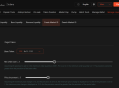
Connect a Solana Wallet: Visit https://sol.gtokentool.com/liquidityManagement/CreatePool and click "Connect Wallet" in the top-right corner. Ensure your wallet (e.g., Phantom or Solflare) is set to the Solana mainnet or devnet/testnet if testing.
Ensure Sufficient SOL: You’ll need at least 0.5 SOL for transaction fees, plus additional SOL or tokens (e.g., USDC) for the liquidity pool and potential purchases. For example, AMM V4 pool creation costs ~0.6 SOL, while CPMM costs ~0.3 SOL.
Token Requirements: You need a base token (your custom token, typically with no market value yet) and a quote token (a valued token like SOL or USDC). If your token hasn’t been created, you can use GTokenTool’s token creation tool first.
Revoke Freeze Authority (Optional): For some pools (e.g., AMM V4), you may need to revoke the freeze authority of your token to ensure the maximum supply is fixed. This costs ~0.1 SOL and can be done via tools like Orion Tools or Smithii.
Access the Liquidity Pool Creation Page
Navigate to https://sol.gtokentool.com/liquidityManagement/CreatePool.
Confirm your wallet is connected (your wallet address should appear in the top-right corner).

Select the Pool Type
AMM/AMMV4: Traditional automated market maker pools, with AMM V4 requiring an OpenBook Market ID (~0.4–3 SOL). AMM V4 is more stable but costlier.
CPMM: A newer, cost-effective pool type that doesn’t require an OpenBook Market ID. Recommended for simplicity (~0.3 SOL).
CLMM: Concentrated Liquidity Market Maker, allowing single-token or dual-token deposits with customizable price ranges (18 fee tiers, default 0.25%). Suitable for advanced users.
GTokenTool supports four pool types on Raydium: AMM, AMM V4, CPMM, or CLMM. Choose the appropriate pool type based on your needs:
For beginners, CPMM is often recommended due to lower costs and simplicity.
Configure Pool Parameters
Manual Market ID: Create an OpenBook Market ID separately (via tools like Smithii’s OpenBook Market Creator, costing ~0.4–3 SOL) and input it here.
Integrated Market ID: GTokenTool can create the market ID for you, which is cheaper and simpler.
Base Token: Enter the address of your custom token (the one with no market value yet).
Quote Token: Select a valued token (e.g., SOL or USDC).
Base Token Amount: Specify the number of base tokens to deposit. Ensure this doesn’t exceed your wallet’s balance.
Quote Token Amount: Specify the amount of quote tokens (e.g., SOL or USDC). The initial price is automatically calculated based on the ratio of base and quote tokens.
OpenBook Market ID (for AMM/AMMV4): If using AMM or AMM V two options are available:
Fee Tiers: For CPMM, choose from five fee tiers (default is 0.25%). For CLMM, select from 18 tiers or use the default 0.25%.
Initial Price and Range (for CLMM): Set the initial price and minimum/maximum price bounds for concentrated liquidity.
**Jito Bundle Tipsස: Optional tip to prioritize transactions for faster confirmation.
Create the Pool
Review all entered details (token amounts, fees, etc.).
Click “Create Now” or “Create Pool.” Your wallet will prompt you to sign transactions (typically 2–3 signatures). A second red prompt may appear, which is normal—confirm quickly.
Ensure sufficient SOL balance, as insufficient funds may cause a “transaction amount too high” error.
Upon success, you’ll receive a Pool Address and, if applicable, a Market ID. Save these for future reference (e.g., for removing liquidity or trading).
Enable Trading (Optional for CLMM)
For CLMM pools, only the base token is initially deposited in single-token mode, meaning tokens can only be bought, not sold. To enable selling, add the quote token (e.g., USDC) via Raydium Swap.
Once created, the pool is live and tradable on Raydium or other compatible DEX platforms.
Post-Creation Notes
Liquidity Pool Display: The pool will appear on Raydium or third-party market software for trading.
Removing Liquidity: To remove liquidity, visit the “Remove Liquidity” page on GTokenTool, enter the token address, and follow the prompts to withdraw assets after checking liquidity.
LP Tokens: You’ll receive LP tokens representing your share of the pool. Do not destroy or transfer these, as they’re needed to remove liquidity.
Initial Price Example: Adding 100 base tokens + 100 USDT sets an initial price of 1 USDT per token. Adding 100 tokens + 1 SOL sets ~0.01 SOL per token (e.g., ~2.6 USDT if SOL is $260).
Costs: Transaction fees are low (~0.08 SOL per address), but ensure enough SOL for fees, pool deposits, and purchases. AMM V4 costs ~0.6 SOL, CPMM ~0.3 SOL, and OpenBook Market ID (if needed) ~0.4–3 SOL.
Risks: Liquidity pools carry risks like impermanent loss, where the value of your tokens may shift due to price changes. Research pool types (e.g., AMM vs. CPMM vs. CLMM) to understand trade-offs.
Tokenomics and Strategy: Plan your tokenomics and marketing strategy to avoid price volatility or low liquidity issues.
Support: For questions, join GTokenTool’s Telegram group: https://t.me/GToken_EN .
Alternative Platforms: Other tools like Orion Tools, PandaTool, or Smithii offer similar functionality. For example, Orca recently reduced pool creation costs to ~0.02 SOL ($3) plus a refundable 0.01 SOL.
Security: Never share your seed phrase or private keys. Beware of scams, especially via DMs on platforms like X.
Testing: Test on Solana’s devnet/testnet to avoid risking real funds. GTokenTool and Orion Tools support free testing on these networks.
Token Standards: Ensure your token is compatible (e.g., SPL Token or Token-2022). For CPMM pools, Token-2022 is supported without an OpenBook Market ID.