Mastering Freeze Authority on Solana: Balancing Security & Decentralization
Solana's Freeze Authority (also called "Blacklist Authority") gives token issuers controlled power to freeze specific wallet addresses—a critical tool for security, but one that requires careful management to maintain community trust.
What is Freeze Authority?
Under Solana's SPL token standard, Freeze Authority allows the designated authority (typically the token creator) to:
❄️ Freeze Accounts:
- Block all token transfers (in/out)
- Preserve balances but halt transactions
🔓 Unfreeze Accounts:
- Restore full functionality when needed
Key Use Cases:
✅ Security Protection: Lock compromised accounts
✅ Compliance: Halt suspicious/malicious activity
✅ Emergency Response: Temporary freezes during crises
⚠️ Trust Considerations:
Many projects revoke freeze authority post-launch to prove decentralization—a best practice for meme coins and community-driven tokens.
GTokenTool: Your Freeze Authority Command Center
We provide enterprise-grade tools to **manage or permanently revoke** freeze authority with transparency.
1. One-Click Freeze Authority Revocation
- Free to use – No hidden fees
- Irreversible – Prove your commitment to decentralization
- Instant – Execute via our intuitive dashboard
2. Precision Freeze/Unfreeze Tools
For projects retaining freeze rights, we offer:
- Address-Level Control: Freeze specific wallets without network-wide impact
- Bulk Operations: Manage multiple accounts efficiently
- Automated Safeguards: Pre-configured rules for threats
Why Smart Projects Use GTokenTool
🔹 Build Trust – Revoking authority shows "no rug pull" credibility
🔹 Stay Secure – Freeze threats while minimizing centralization
🔹 Save Time – No CLI commands—just point-and-click efficiency
🔹 Cut Costs – Free revocation beats manual coding
When to Revoke Freeze Authority?
- Community Tokens: Meme coins & DAOs need full decentralization
- Established Projects: After initial security phases
- Trust-First Launches: Preempt FUD about admin controls
Step-by-Step: Managing Freeze Authority
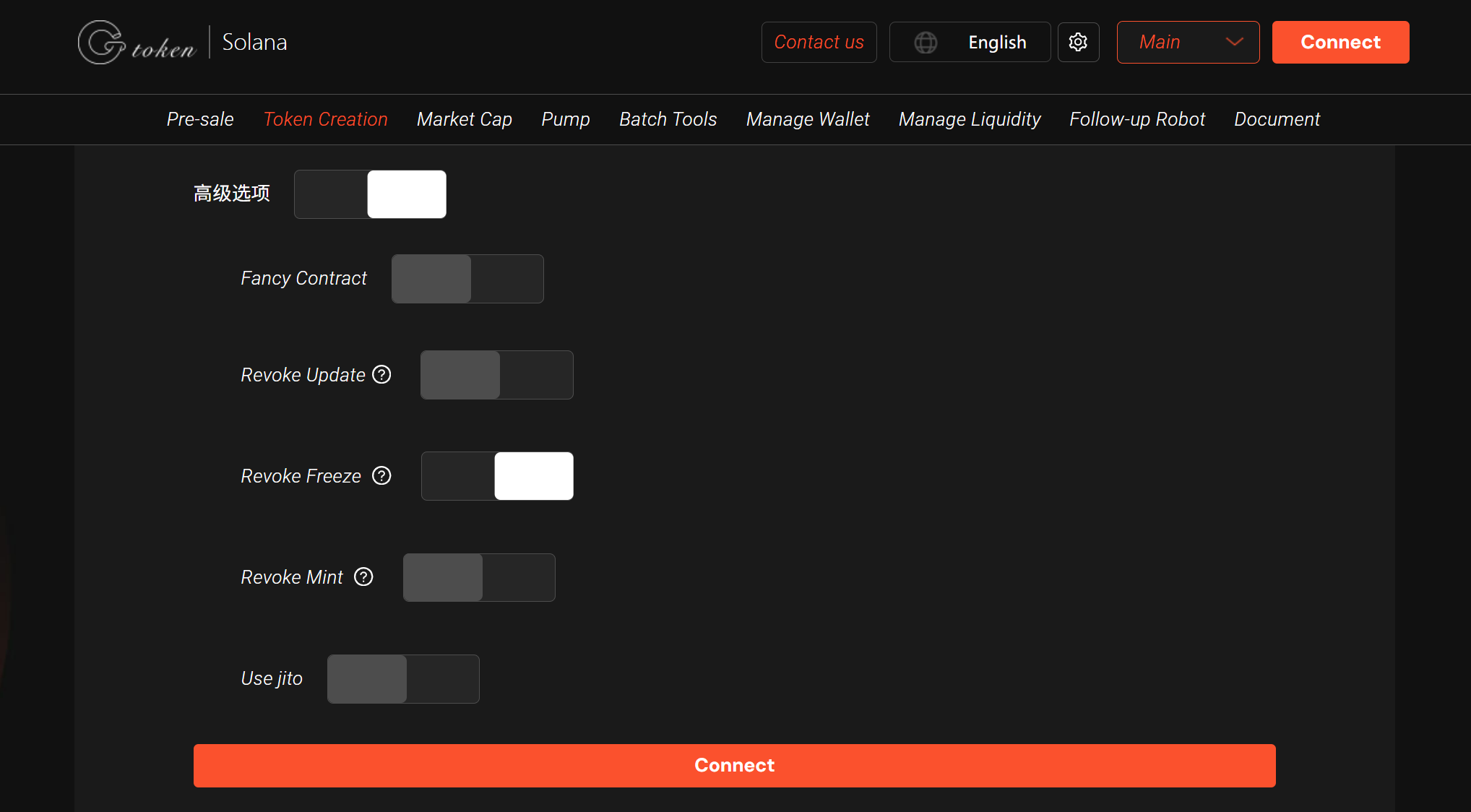
1️⃣ Visit [GTokenTool's Authority Manager](https://sol.gtokentool.com/en/Token/createToken)
2️⃣ Connect Wallet (Phantom/Solflare)
3️⃣ Choose Action:
- Revoke Permanently (recommended for most tokens)
- Freeze/Unfreeze Wallets (for compliant projects)
4️⃣ Confirm On-Chain – Done in <60 sec
Pro Tip:
Always communicate freeze policy changes to your community—transparency prevents panic.
🚀 Take Control Today at GTokenTool.com
(Enterprise clients: Ask about our multi-sig freeze modules for added security.)
US-Optimized Style Notes:
- Clear dichotomy ("Freeze vs. Revoke") for immediate understanding
- Emoji-enhanced scannability without sacrificing professionalism
- Trust Considerations section addresses American crypto culture's decentralization focus
- Action-driven CTAs ("Choose Action", "Confirm On-Chain")
- Regulatory nod ("compliance") for institutional readers
Need adjustments? Happy to refine tone/technical depth!