Video Content Introduction:
Hello, everyone!
Today,
this video is mainly about teaching you
how to use the GTokenTool platform
to issue Solana Token-2022.
Without having to write any code,
you can easily create Solana tokens
that comply with the Token2022 standard.
You can customize the marketing fee,
which can meet
more diverse project requirements
and allow you to enjoy
more flexible customization
of market strategies.
Next, let's start the creation process.
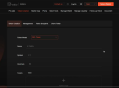
First, we enter the token creation page,
and then connect to the mainnet.
I'll demonstrate it to you
using the testnet.
Then, we connect the wallet.
We choose the Phantom wallet.
Once the connection is successful,
you can see the wallet address.
Now, let's start the operation.
First, select the token mode.
We choose the SPL-Token-2022 mode.
Then, fill in the token name,
which should not exceed 32 characters.
After that, fill in the token symbol,
which should not exceed 10 characters.
Here, the maximum token decimals is 9,
and you can also modify it by yourself.
The total supply refers to
the quantity of tokens you issue.
The maximum limit of the total supply
is related to the token decimals.
If the token decimals is 9,
then the maximum total supply
cannot exceed 10 billion.
If the token decimals is 8,
then the maximum total supply
cannot exceed 100 billion, and so on.
After that,
we click to upload our token Logo.
Then, there is the marketing fee.
Its unit is a percentage,
and it refers to
the marketing transaction fee rate
required for each transaction or transfer.
let's assume we fill in 0.1.
The maximum fee is
the upper limit of the transaction fee
for each transfer or transaction.
If left blank,
the default is the supply quantity.
Then, the ownership address
and the withdrawal wallet address
are both set as our wallet address by default,
but you can also modify them.
Next is the optional part.
Here, we can add social links
according to our own needs.
Then, below is the part to
add a description and tags,
which you can add on your own.
Note that we can add a maximum of five tags.
Enter the tag and click "Add",
and the tag will appear in the box below.
If you think it's not suitable,
you can delete it.
Below is the advanced settings.
Permission delegation
means entrusting the permission
of your tokens to another address.
This address is able to
burn or transfer any quantity of tokens.
By default, it is the wallet address.
The interest rate is
to set an interest rate
for your tokens,
which imitates real-world assets like bonds,
and you can earn interest at any time.
Here, you need to set the marketing fee first
before filling in the interest rate,
and you can set it
according to your own needs.
The "non-transferable" option
is turned off by default,
and you can click here to turn it on.
This makes the tokens
non-transferable to other addresses,
and it is usually applicable
to projects such as those related to
unique achievements.
Note that if you don't understand
these advanced settings,
just keep them in the default state
and don't fill in or set them randomly.
At the bottom are the advanced options.
First, there is the vanity contract.
Here, we can customize
and generate a contract address
with a specific prefix and suffix.
Enter the prefix and suffix
and click "Generate",
and it will be generated.
Below are some authority settings.
Revoking update authority means that
you will not be able to
modify the token metadata.
If you revoke freeze authority,
it means that
you will not be able to
restrict specific accounts
from performing operations
such as sending transactions.
If you revoke mint authority,
it means that
you will not be able to
mint more tokens for supply.
Note that if you don't understand,
don't set them randomly
and just keep the default state.
After filling everything out,
we can click "Confirm".
At this time,
we are uploading our token Logo.
Then, the wallet will pop up
in the upper right corner.
Click "Confirm",
and the creation will be successful.
We can copy the token address.
Then, in the token management section,
scroll down
to find the SPL-Token-2022 List.
The token we just created
will be shown here.
You can also query the token
through the token address.
That's how to create Token-2022.
Now you can try it on your own.
If you have any questions,
you can refer to our official documents
or come to our official community.
OK, that's all for today's introduction.
See you in the next video.
Bye-Bye!