This article will guide you on how to create an OpenBook market ID using the tools provided by the GTokenTool platform. GTokenTool is the most cost-effective one-click token issuance platform available.
Preparations
Ensure you have a Solana wallet: You’ll need a Solana-compatible wallet (e.g., Phantom, Solflare) with sufficient SOL to cover transaction fees (recommended at least 0.5 SOL).
Access the GTokenTool platform: Visit the official website at https://sol.gtokentool.com/liquidityManagement/createMarket .
Connect your wallet: Once on the page, click "Connect Wallet" and authorize your Solana wallet.
Steps to Create an OpenBook Market ID
Navigate to the Create Market page:
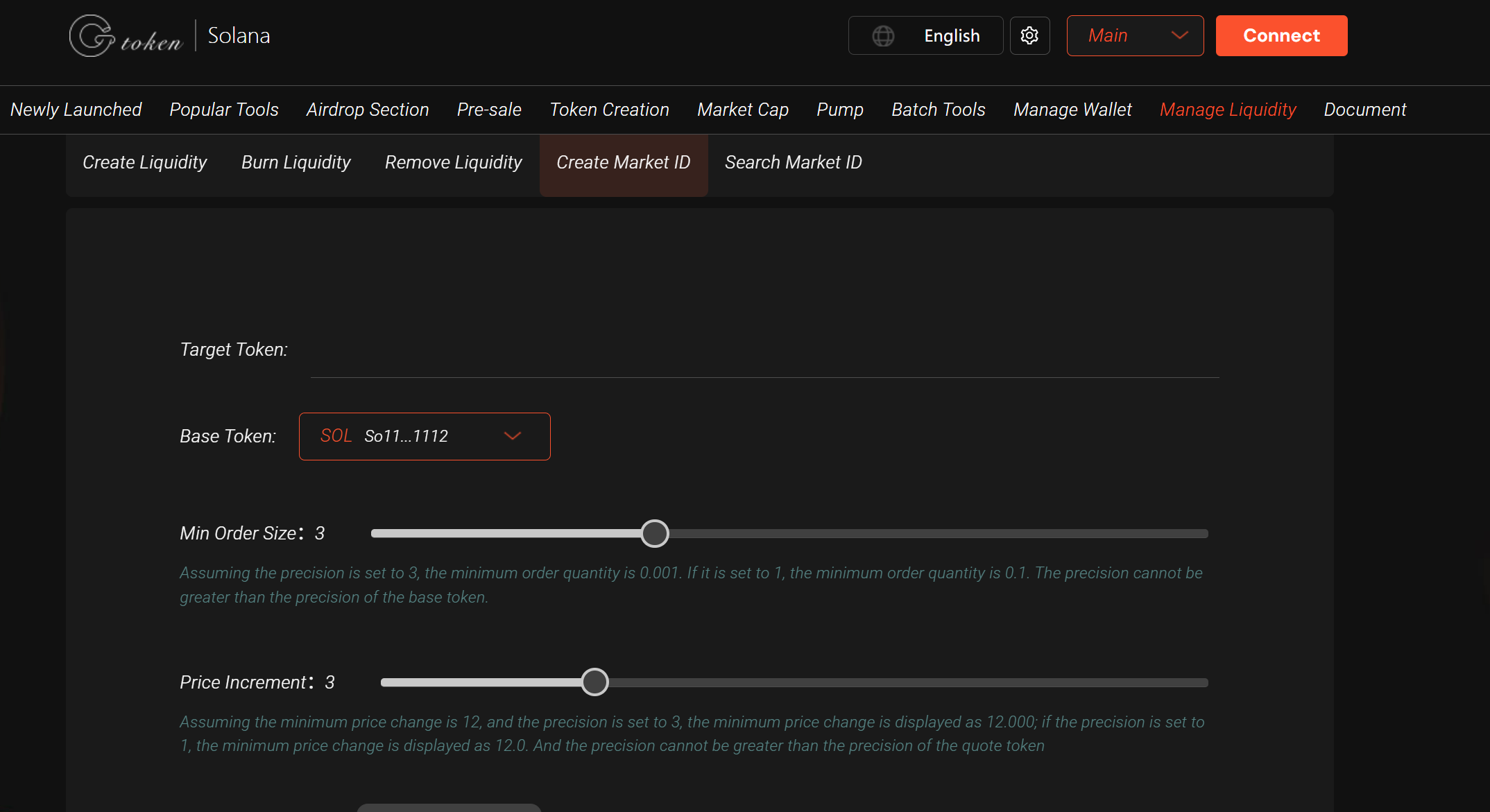
On the GTokenTool website, find Liquidity Management in the left menu and click Create Market.
You’ll be directed to the OpenBook Market ID creation interface.
Fill in market parameters:
Base Token: Enter the contract address of your custom token (valueless token).
Quote Token: Select a token with market value, typically SOL or USDC.
Minimum Order Size: Set the smallest tradable unit for the market (adjust based on token value).
Tick Size: Define the smallest price increment to determine market precision.
Fee Settings: Choose an appropriate trading fee tier (OpenBook defaults to 0.25%; keep default if unsure).
Verify all parameters and ensure your wallet has enough SOL for transaction fees.
Create the Market ID:
Click Create Now, and a wallet signature prompt will appear.
Confirm the transaction in your Solana wallet (e.g., Phantom). You may need to sign twice (once for market ID creation, once for confirmation).
Once completed, the platform will display your OpenBook Market ID. Copy and save it locally—this ID is the unique identifier for your trading pair on OpenBook DEX.
Verify the Market ID:
Use GTokenTool’s Market ID Query Tool (https://sol.gtokentool.com/en/liquidityManagement/searchId).
Enter your token contract address and the corresponding quote token to confirm the Market ID’s validity.
Important Notes
Funding Requirements: Ensure your wallet has at least 0.5 SOL for market ID creation and potential liquidity additions.
Permission Management: By default, blacklist authority is not relinquished when creating a market ID. Adjust token permissions via GTokenTool’s Token Management if needed.
Transaction Confirmation: Multiple wallet signatures may be required—promptly confirm to avoid transaction failures.
Next Steps: After creating the market ID, you may need to add liquidity. Use GTokenTool’s Create Pool feature to deposit base and quote tokens.
Troubleshooting: For assistance, join GTokenTool’s official Telegram group: https://t.me/GToken_EN.
Frequently Asked Questions
What is the purpose of a Market ID?
The OpenBook Market ID is the unique identifier for a trading pair (e.g., SOL/USDC) on the Solana-based OpenBook DEX.What if creation fails?
Check your wallet balance, ensure you’re on the Solana mainnet, and contact GTokenTool support if needed.Are the fees high?
Solana transaction fees are extremely low—typically around 0.000005 SOL per transaction. Market ID creation is also cost-efficient.
By following these steps, you can quickly create an OpenBook Market ID using GTokenTool and prepare for token trading and liquidity management.