How to Create a Token with Buy-Bot Integration Using FourMeme
Step-by-Step Guide
Preparation Checklist
✔ A computer or smartphone
✔ Project details (name, description, etc.)
✔ Private keys for:
- Token creation wallet
- Buy-bot wallets
✔ Sufficient BNB for bundled buying
Step 1: Import Token Creator Wallet Private Key
- All service fees are paid by this wallet.
- Ensure it has enough balance to avoid transaction failures.
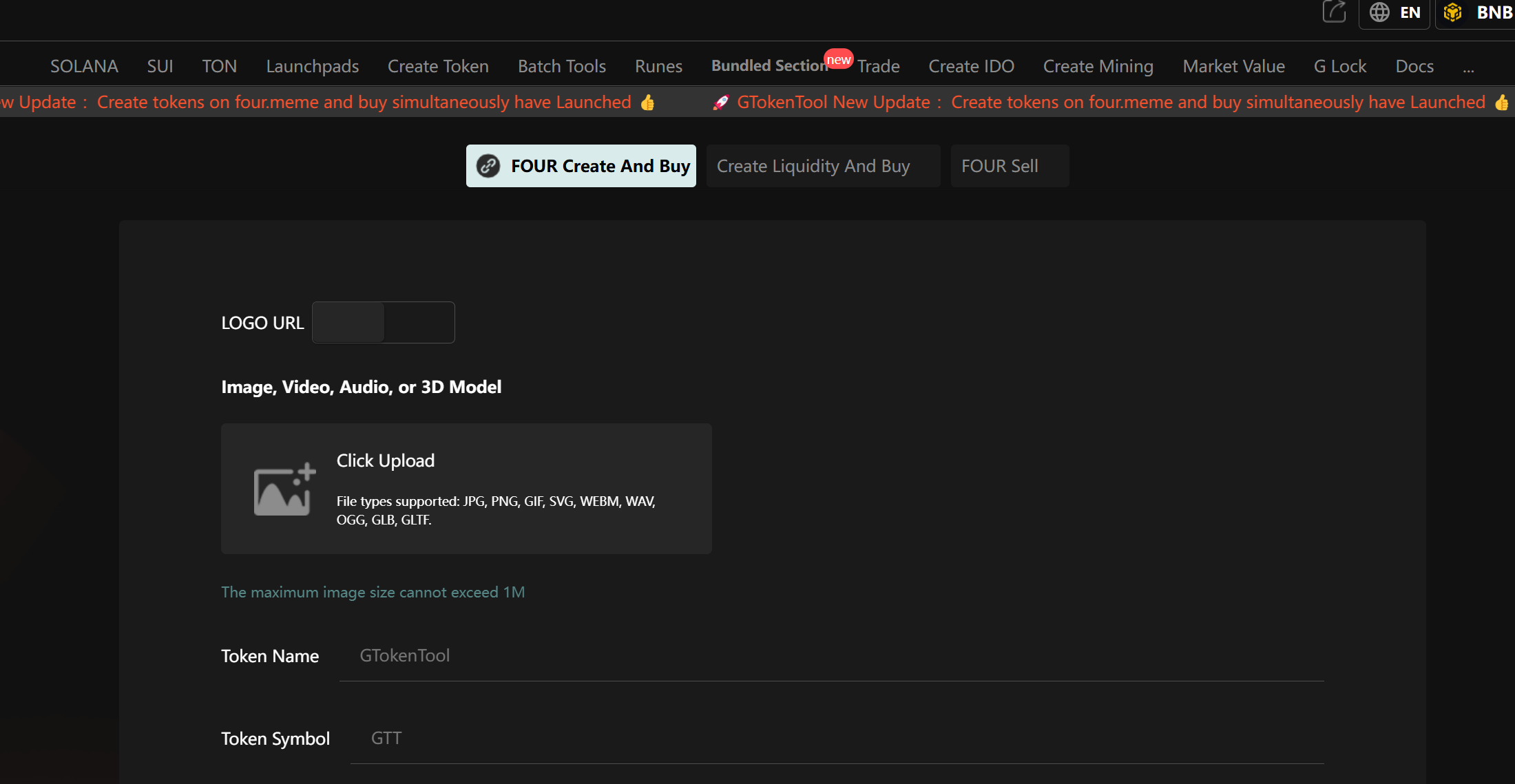
Four meme Tool: https://www.GTokenTool.com/bundle
Step 2: Configure Token Details
- Total Supply: Fixed at 1,000,000,000 (1 billion) tokens.
- Token Name: Full display name (e.g., "BNB Chain").
- Token Symbol: 3-6 uppercase letters (e.g., "BNB").
- Project Description: Briefly explain your project’s purpose and vision.
- Logo: Upload (min. 200px recommended).
- Social Links (Optional): Add Website, X/Twitter, Telegram, etc.
- Tags: Default is MEME (select others if applicable).
Step 3: Set Up Bundled Buy-Bot Parameters
- Manually input or bulk import private keys (max 20 wallets).
- Set BNB buy amount per wallet (use MAX for full balance).
- Remove unused wallet fields if needed.
Step 4: Submit & Execute On-Chain
- Each buy-bot wallet requires 0.025 BNB service fee (paid by creator wallet).
- Transaction completes in one click.
Step 5: Check Results
- A pop-up displays the new token contract address.
- Quickly verify on FourMeme platform.
Pro Tip: Bulk Selling (Coming Soon!)
After bundled buying, use FourMeme’s multi-wallet selling tool for efficient exits.
(Bundled sell feature in development—stay tuned!)
🚀 Ready to launch? Visit FourMeme and create your token today!
(Natural American English adaptation with clear UI-focused instructions.)
Key Features Highlighted:
- Fixed 1B supply – No minting confusion.
- Bulk buy-bot setup – Coordinated launches.
- Social integration – Boost community growth.
- Low 0.025 BNB/wallet fee – Cost-effective pumping.