Introduction: What Does Converting WSOL to SOL Mean?
In the Solana blockchain ecosystem, SOL is the native token used for paying transaction fees and participating in the network. However, when interacting with decentralized apps (dApps) or DeFi protocols, users often need Wrapped SOL (WSOL), which is SOL "wrapped" as an SPL token to make it easier to use in Solana's token programs. Converting WSOL back to SOL is essentially an "unwrap" process—extracting the native SOL from the WSOL account to restore your liquid assets. This conversion is a key part of managing assets on Solana, especially after completing trades to cash out funds or move them back to your wallet. Its main goal is to bridge native SOL with tokenized assets, ensuring smooth flow in the ecosystem.
Key Features of Converting WSOL to SOL
The process of converting WSOL to SOL has some standout features that make it a reliable and efficient tool for asset management in the Solana world:
Security and Network Support: Operations typically run on Solana's Mainnet for reliability and safety, steering clear of potential risks on testnets. It also supports multi-language options (like English and Chinese) for global users.
One-Stop Experience: With tools like GTokenTool, you don't need complicated coding or multiple steps—just a straightforward conversion. These tools focus on openness and security, offering a seamless solution for Solana users.
Low Cost and High Speed: Conversions are usually free or come with minimal network fees, wrapping up in just seconds—way faster than bridging on other chains. Plus, you can input exact amounts or pick percentages for flexibility.
Ecosystem Compatibility: As part of Solana's standards, WSOL unwrapping integrates smoothly with aggregators like Jupiter Exchange, supporting batch trades and automation scripts.
These perks make WSOL-to-SOL conversion a go-to for Solana DeFi folks, avoiding the hassle of funds getting stuck in wrapped accounts.
Step-by-Step Guide
Converting WSOL to SOL is straightforward and quick—using GTokenTool as an example, you can knock it out in a few minutes. Here's the breakdown:
Connect Your Wallet: Head to the WSOL exchange page (like https://sol.gtokentool.com/walletManagement/WSOL), select the Mainnet, and hit "Connect Wallet." Pick your Solana wallet (such as Phantom or Solflare) and authorize it.
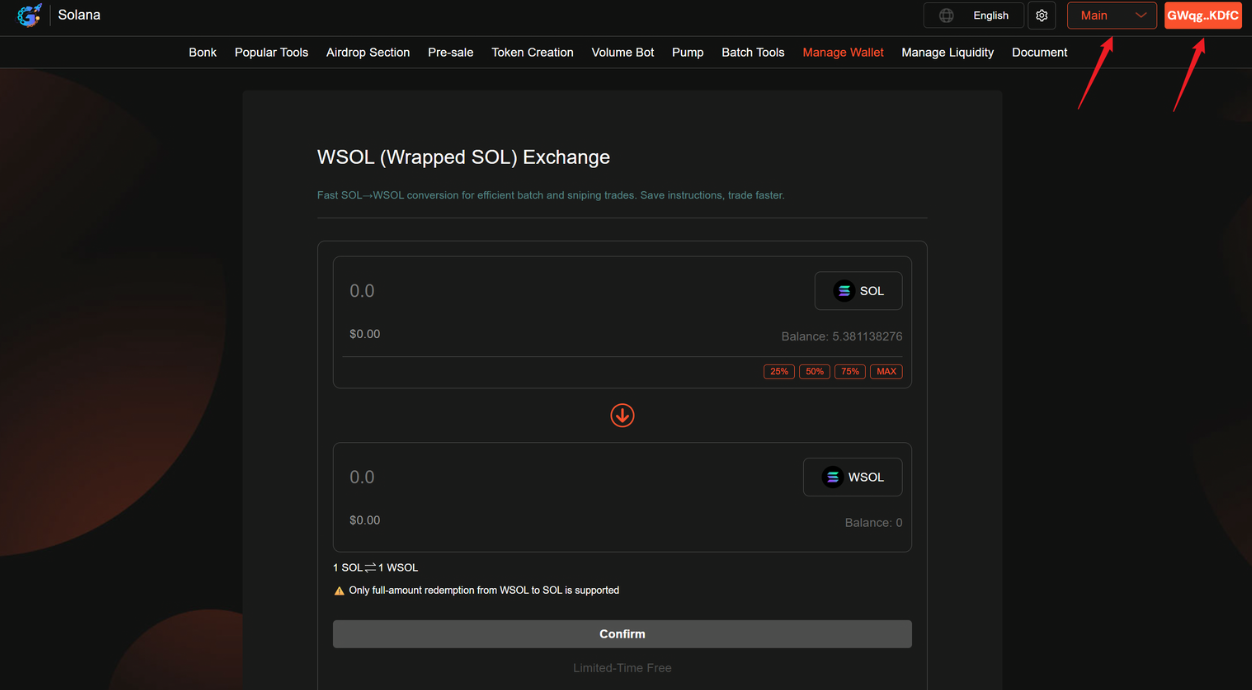
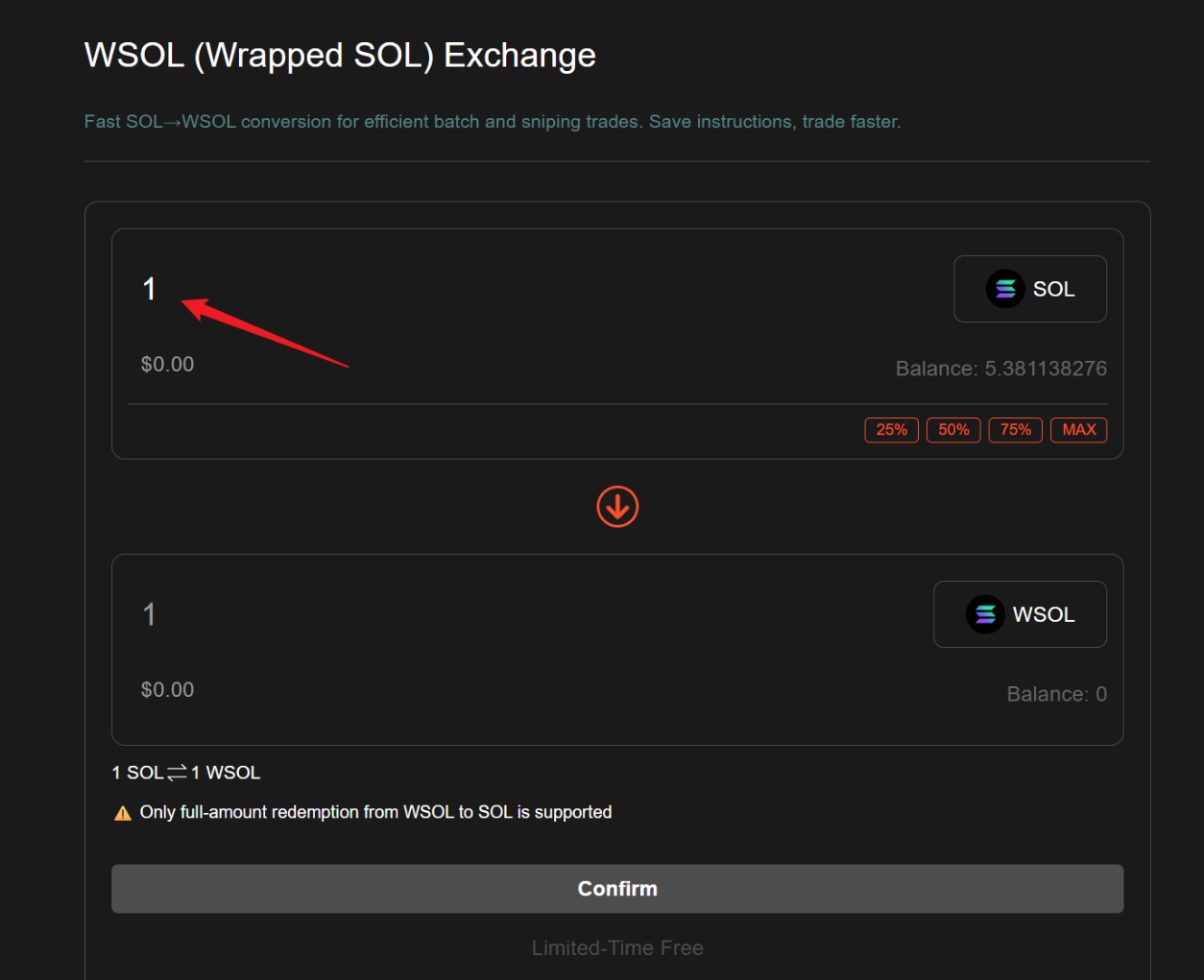
Enter the Amount: Input the WSOL amount you want to convert. You can type in a specific number or choose a percentage (like 25% or 50%). The system will show a real-time preview of the SOL you'll get.
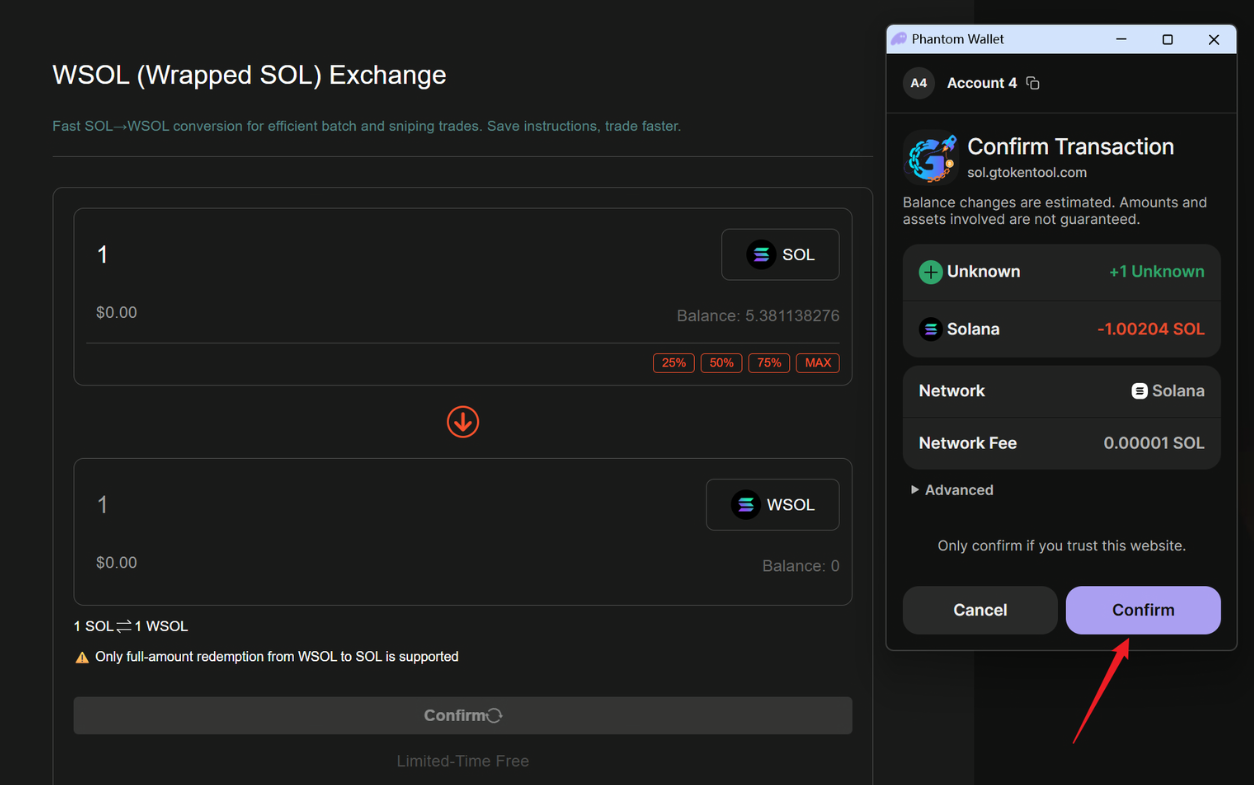
Confirm the Swap: Click "Confirm," and your wallet will pop up a review window. Double-check the details and hit "Approve." Once submitted, you'll see a success message, and the SOL will land straight in your wallet.
Switch Directions (Optional): If you need to go the other way (SOL to WSOL), use the toggle button in the middle of the interface and repeat the steps.
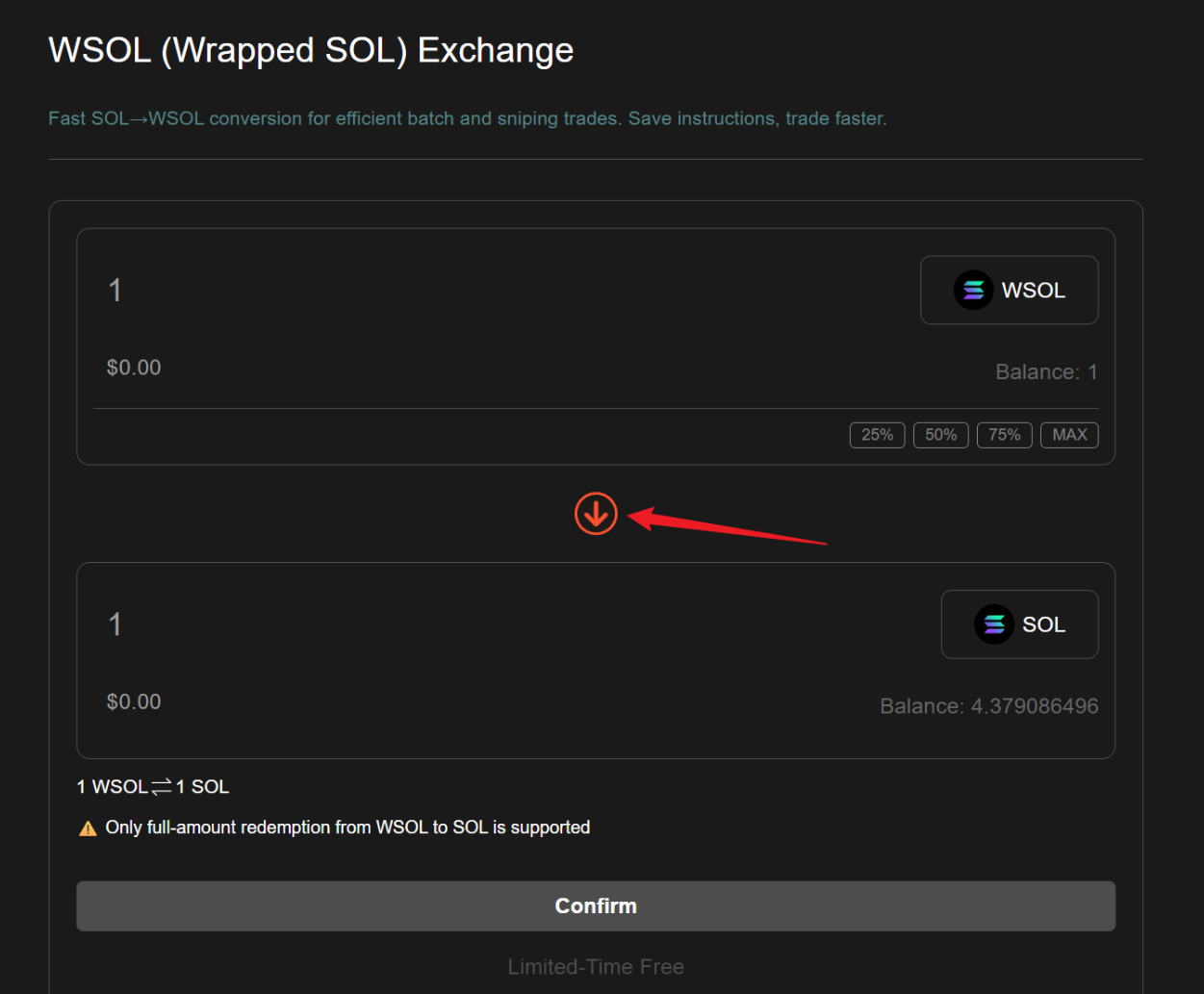
Pro Tip: Make sure your wallet has enough SOL for network fees (usually under 0.001 SOL). If you're using something like Jupiter, the steps are similar, but you might need to import the WSOL token account first.
Common Questions and Answers
The process is pretty smooth, but users sometimes hit snags. Here's a rundown of frequent issues based on Solana community feedback, with fixes:
Issue 1: Transaction Fails with "Unknown Error"
Cause: RPC node congestion or too large an amount.
Fix: Switch your wallet's RPC endpoint (try Helius or QuickNode instead of the default) and break it into smaller conversions. Retry, and it should work.Issue 2: Can't Unwrap WSOL Without Closing the Account
Cause: Solana's token program requires closing the WSOL account to pull out SOL.
Fix: Tools like GTokenTool handle the close automatically—no manual work needed. For custom scripts, call the closeAccount instruction.Issue 3: SOL Doesn't Show Up After Conversion
Cause: Network lag or mismatched accounts.
Fix: Check the transaction hash on Solana Explorer (https://explorer.solana.com) to confirm status—give it a few minutes. If it's still missing, verify your wallet address.Issue 4: Fees Seem Too High?
Fix: Solana fees are super low, but they can spike during peaks. Opt for low-priority transactions to save a bit.
Wrapping It Up
Converting WSOL to SOL is an essential move in the Solana ecosystem—it bridges the gap between native tokens and SPL standards while being secure and super efficient. With just a quick connect, input, and confirm, you can unwrap without the funds sitting idle. Sure, there might be minor network hiccups, but tweaking your RPC or scaling down amounts fixes them fast. All in all, this highlights Solana's innovative, user-friendly vibe. Newbies should start with tools like GTokenTool and level up to advanced DeFi plays. Mastering this will seriously boost your blockchain game!