Vana, a decentralized EVM Layer 1 network, can be added to MetaMask through ChainList or by manually entering its network details.
Vana uses blockchain and privacy technologies like Zero-Knowledge Proofs to enable secure data ownership and support DataDAOs, AI development, and applications.
Can I Add Vana to MetaMask?
Yes, you can add the Vana network to MetaMask. To connect, enter Vana's RPC URL, chain ID, and network details in the custom network settings within MetaMask. Once configured, you can access Vana’s EVM-based ecosystem, which includes DataDAOs, tokenized data assets, and decentralized applications.
How to Add Vana to MetaMask
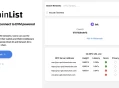
You can use ChainList to quickly connect the Vana network to MetaMask. ChainList provides verified network details, making it easy to add Vana without manual input.
Open ChainList: Visit the ChainList website and connect your MetaMask wallet.
Find Vana: Search for "Vana" in the search bar.
Add the Network: Select Vana from the results and click "Connect Wallet."
Approve in MetaMask: Confirm the network addition in MetaMask when prompted.

Vana RPC and Chain ID
To add the Vana network to MetaMask manually, enter these details in the custom network settings:
Network Name: Vana Mainnet
RPC URL: https://rpc.Vana.org
Chain ID: 1480
Currency Symbol: VANA
Block Explorer URL: https://vanascan.io
These settings connect you directly to the Vana network, enabling access to its applications and features. Always verify details with official Vana documentation for accuracy.
About Vana
Vana is a decentralized Layer 1 network that transforms user data into tokenized assets, enabling secure ownership, monetization, and governance through DataDAOs. Using blockchain and privacy tools like Zero-Knowledge Proofs, it powers AI models and data-driven applications while ensuring transparency and user control.

Bottom Line
Connecting Vana to MetaMask is simple and provides access to its decentralized ecosystem, including DataDAOs, tokenized data, and applications.
Use ChainList for an automated setup or manually input the network details to start interacting securely with Vana’s user-driven data network.