AILayer, a Bitcoin Layer 2 network, can be added to MetaMask via ChainList or manually entering the network details.
It provides scalable, cost-efficient transactions and supports EVM-compatible applications, AI-powered subnets, and a growing ecosystem of decentralized services.
Can I Add AILayer to MetaMask?
Yes, you can add AILayer to MetaMask because it is an EVM-compatible Bitcoin Layer 2 solution that integrates AI-driven modular architecture with decentralized scalability. To connect, users must download MetaMask and input AILayer’s network details, including its chain ID, network name, and RPC URL.
How to Add AILayer to MetaMask
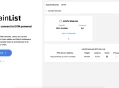
Connecting AILayer to MetaMask is simple and best achieved using ChainList, an aggregator for verified EVM-compatible blockchain information. Here’s how to do it:
Open ChainList: Visit ChainList and link your MetaMask wallet to the platform.
Search for AILayer: Use the search bar to look up "AILayer" and locate the network in the results.
Add to MetaMask: Click on AILayer in the results and select the option to add it to MetaMask.
Approve in MetaMask: Follow the prompts in MetaMask to confirm and finalize the connection.

AILayer RPC and Chain ID
To manually add AILayer to MetaMask, use these verified details from the official documentation for mainnet:
Network Name: AILayer Mainnet
RPC URL: https://mainnet-rpc.AILayer.xyz
Chain ID: 2649
Currency Symbol: BTC
Block Explorer URL: https://mainnet-explorer.ailayer.xyz
Once added, you can securely access AILayer’s AI-enhanced Layer 2 network and decentralized apps.
About AILayer
AILayer is an EVM-compatible Bitcoin Layer 2 solution that integrates AI-driven modular architecture, enabling decentralized cross-chain operations, native asset issuance, and specialized AI subnet services with enhanced scalability and security through PoS consensus and Bitcoin Taproot contracts.

Final Thoughts
You can easily add AILayer to MetaMask by using ChainList or manually entering the network details.
Once connected, you gain access to AILayer’s AI-powered Layer 2 network, enabling decentralized apps and enhanced scalability with Bitcoin integration.